Home / WiFi Repeater Guides / What Is a WiFi Repeater?
Published: February 6, 2026 | Last reviewed: April 2026 | By iGrentech Wireless Product Team
A WiFi repeater receives an existing wireless signal and rebroadcasts it to extend usable coverage into a weaker area. It works best when the repeater itself still has a stable upstream connection, which is why placement matters more than the speed label on the box.
Quick Answer
| Question | Short Answer |
|---|---|
| What is a WiFi repeater? | A coverage-extension device that rebroadcasts an existing WiFi signal into a weaker area. |
| What does it solve best? | One or two weak-signal rooms, upstairs coverage gaps, garage or workshop extension, and retrofit projects where Ethernet is not practical. |
| What does it not solve well? | Large properties, heavy user density, enterprise-grade stability requirements, or locations where a wired access point is already possible. |
| Does a repeater increase speed? | It mainly improves coverage. Real throughput still depends on upstream signal quality, placement, band choice, interference, and client capability. |
| Where should it go? | Usually in a midpoint location between the router and the weak zone, not inside the dead zone itself. |
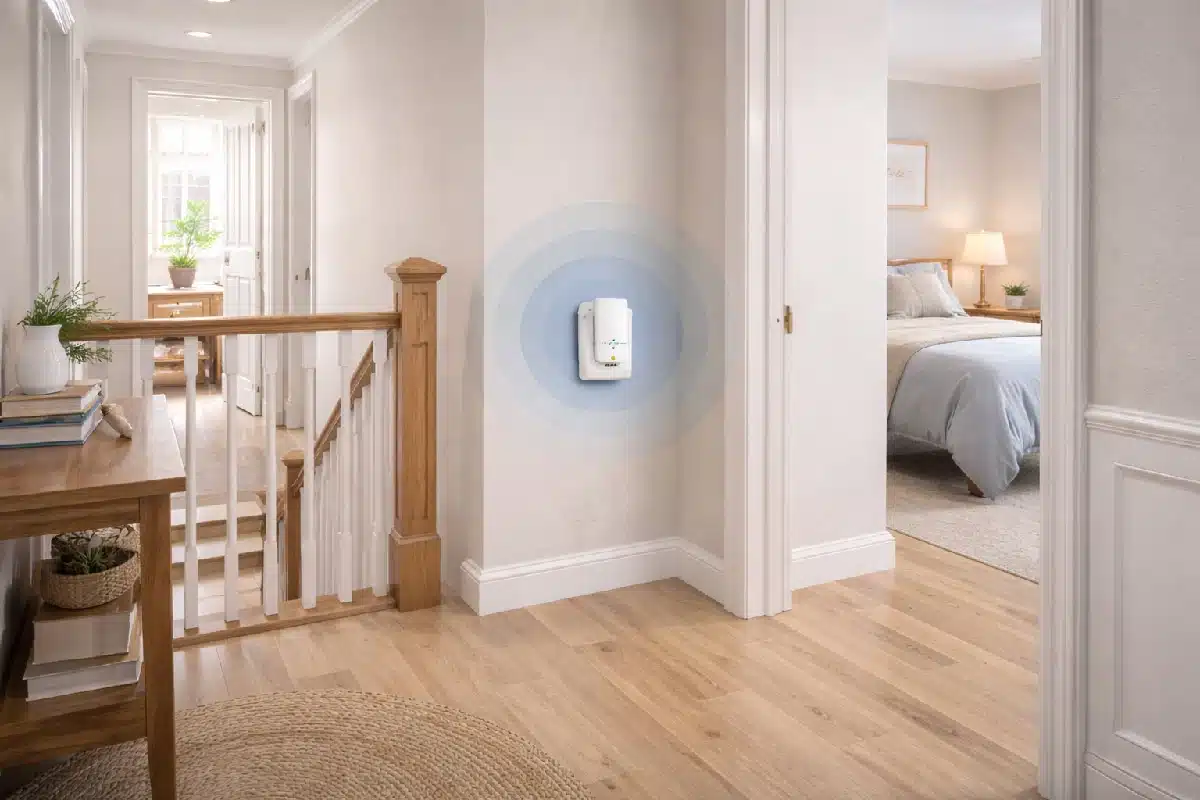
In practical deployment, a WiFi repeater is best understood as a targeted coverage tool. It is often a good fit for upstairs rooms, back bedrooms, garages, workshops, small office corners, rental properties, and other retrofit situations where cabling is not realistic. It is not the right answer for every wireless problem, and it should not be treated as a replacement for a well-designed main router, a mesh system, or a wired access point.
The real buying decision is not just about marketing numbers. It depends on signal quality, placement, building layout, interference, user density, installation type, and whether the project actually needs a repeater at all.
Who This Guide Is For
Home buyers
Trying to fix one or two weak-signal rooms without rewiring the property.
Office users
Comparing a quick coverage patch against a more stable network architecture.
Installers
Evaluating placement logic, band trade-offs, and when a repeater is the wrong topology.
OEM / ODM buyers
Studying product positioning, installation classes, and category language used by buyers.
What a WiFi Repeater Actually Is
A WiFi repeater joins an existing wireless network and rebroadcasts that signal into a weaker area. In the market, buyers will also see terms such as WiFi range extender and WiFi signal booster. These terms are often treated as the same buying category, but the real result depends more on hardware design and deployment logic than on the label alone.
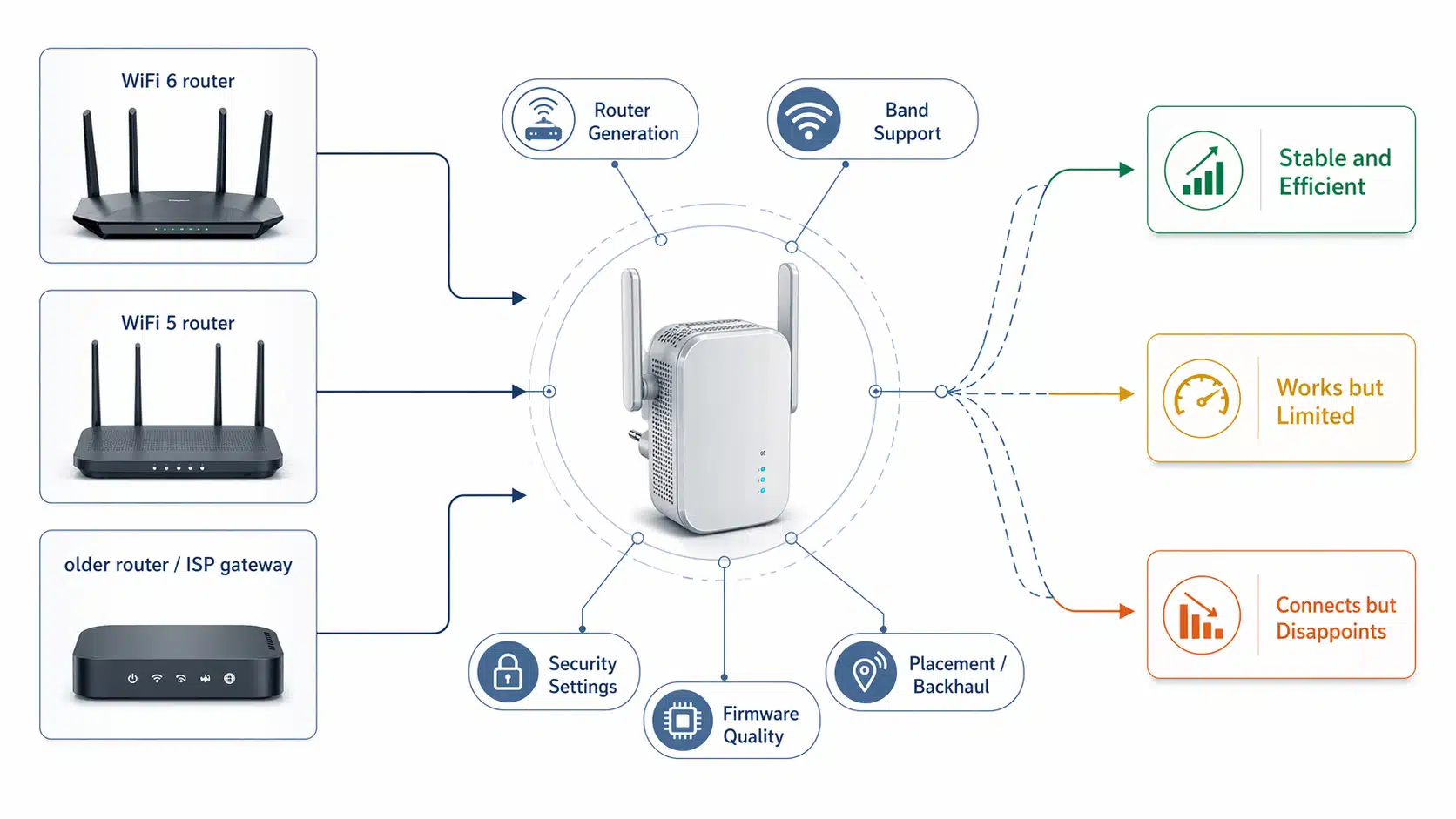
In practical engineering terms, what matters more is radio architecture, band support, firmware behavior, antenna design, installation position, and the quality of the signal the repeater receives from the main router.
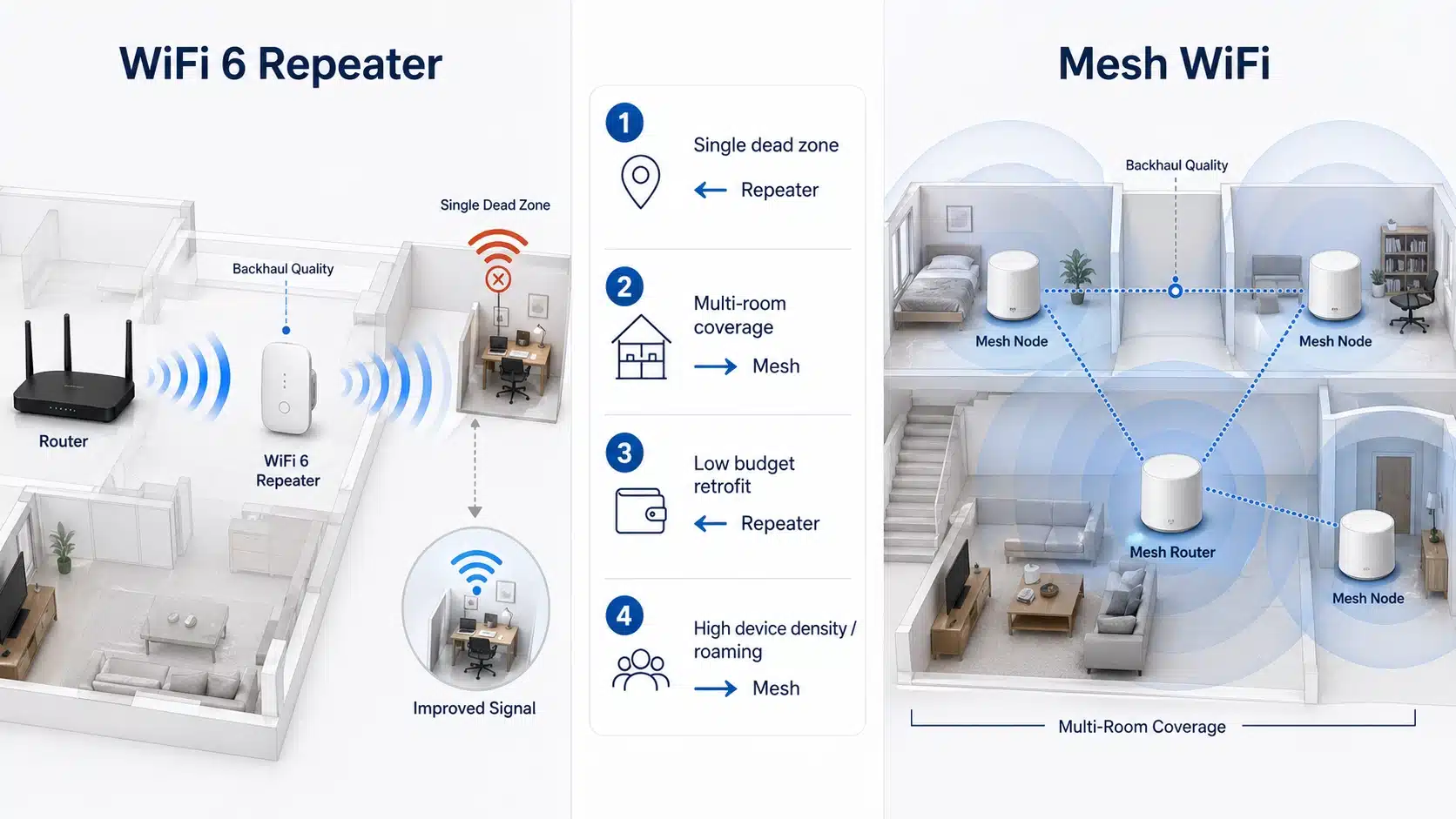
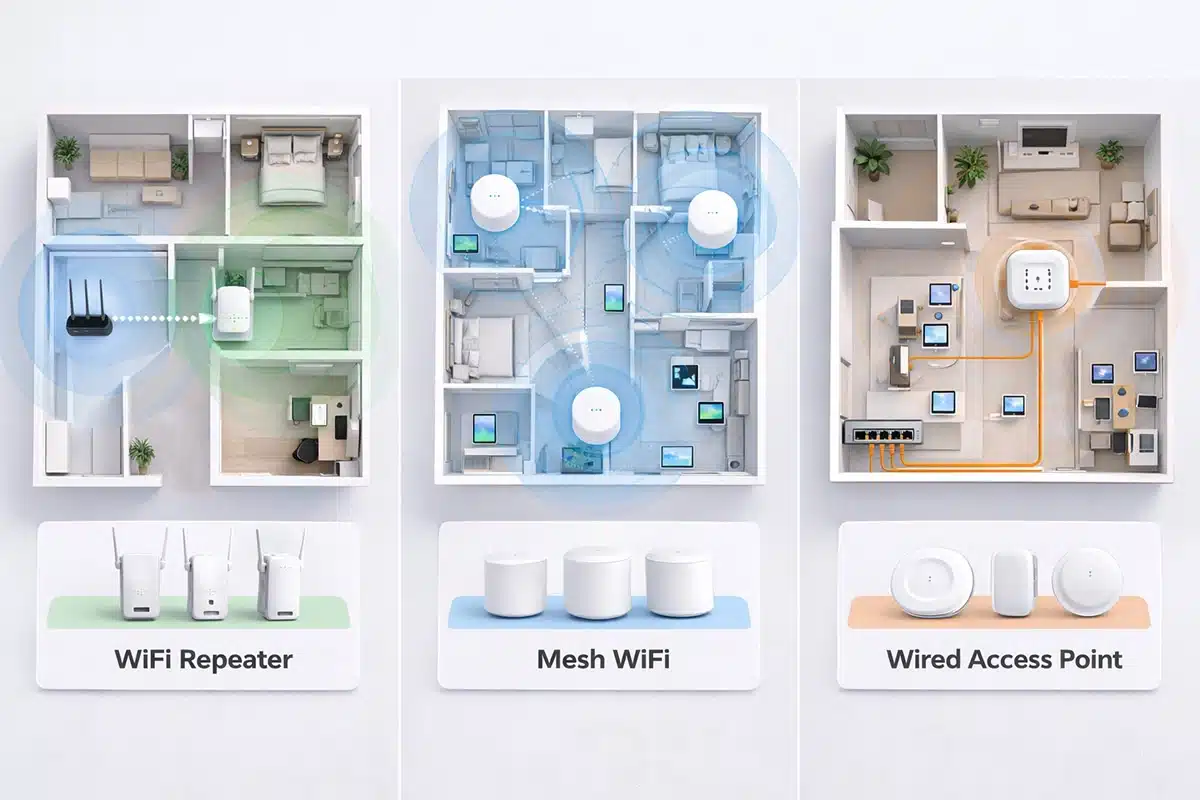
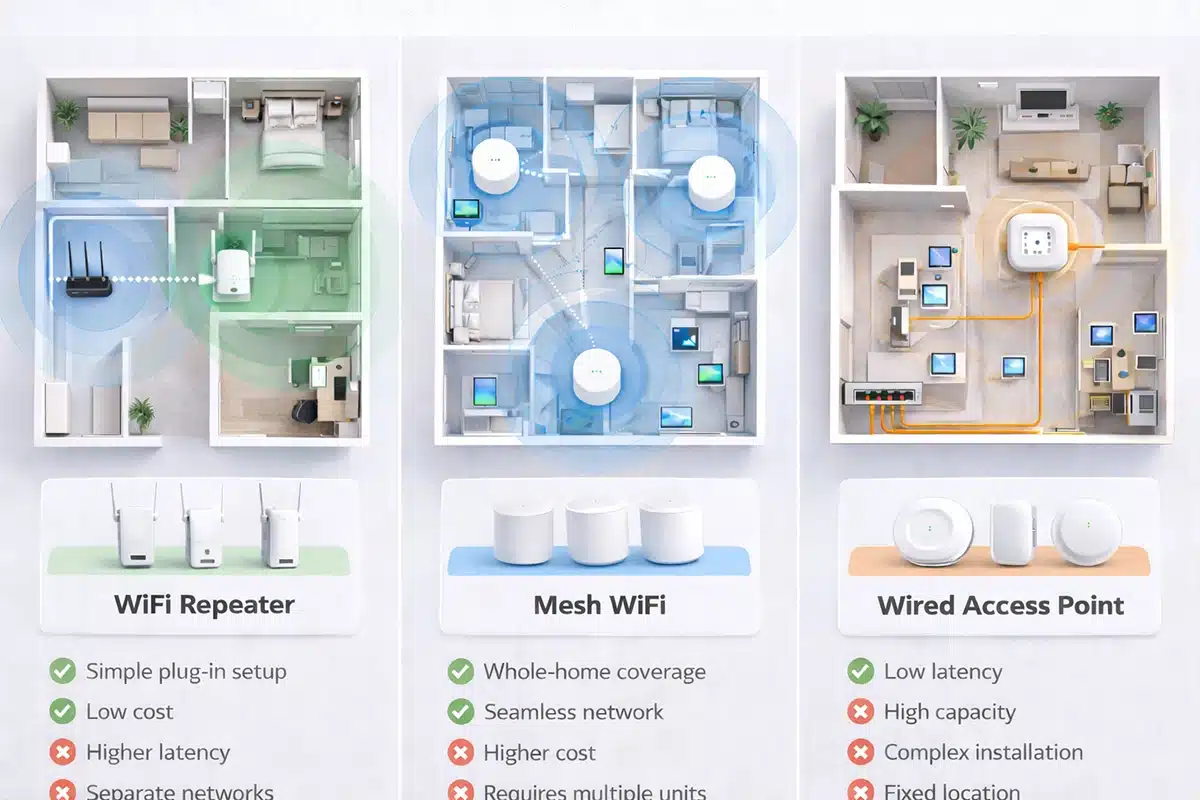
A repeater should also be separated from two device types that buyers often confuse with it. A mesh system is a coordinated multi-node wireless architecture, while an access point extends coverage from a wired backhaul connection. A repeater is usually better for one or two problem zones. Mesh and access point deployment become more appropriate when roaming quality, scale, user density, or long-term stability matter more.
What Problem a WiFi Repeater Can Actually Solve
Good Fit
- One dead zone in a bedroom, hallway, or upstairs corner
- Weak coverage in a garage, workshop, or detached room nearby
- A small office corner with unstable signal
- Rental properties where new cabling is not realistic
- Retrofit projects that need a low-complexity coverage extension
Poor Fit
- A badly placed main router that should be corrected first
- Heavy concurrent-user environments with high traffic density
- Large buildings where seamless roaming matters
- Projects that already have Ethernet in the correct extension point
- Buyer expectations that a repeater will behave like a wired connection

How a WiFi Repeater Works in Real Deployment
A repeater first receives the wireless signal from the main router and then retransmits it toward the weak area. The rebroadcast result depends heavily on the quality of the upstream signal. If the repeater is installed inside a true dead zone, it has very little to work with. If it is placed too close to the router, it may not extend coverage far enough to solve the original problem.
Why Rated Speed Does Not Equal Real Throughput
One of the biggest misunderstandings in this category is treating the speed class on the product page as a direct promise of real application performance. In practice, throughput is shaped by the whole wireless chain.
- Upstream signal quality
- Building materials and indoor path loss
- 2.4 GHz, 5 GHz, or 6 GHz band behavior
- Local interference and channel congestion
- Client device capability
- Channel width and airtime efficiency
- Backhaul loss in the repeater path
Real Placement Example: Upstairs Bedroom
| Observation | What It Usually Means |
|---|---|
| Video calls are unstable in an upstairs bedroom | The router may still be strong enough in the midpoint path, but the room sits behind a more loss-heavy indoor route |
| The first reaction is to replace the main router | The real problem may be placement rather than total router capability |
| The repeater is installed inside the weak room | That often fails because the upstream signal is already too poor |
| The repeater is moved to the landing or hallway midpoint | This is usually the more practical correction because the repeater now receives a usable upstream signal before rebroadcasting it |

WiFi Repeater vs Range Extender vs Booster vs Mesh vs Access Point
Buyers search these terms together, but they should not be treated as complete synonyms. The right choice depends on the topology goal.
| Device / Term | How the Market Often Uses It | What It Usually Means in Real Deployment |
|---|---|---|
| WiFi repeater | Coverage extension device | Rebroadcasts existing WiFi into a weaker area |
| WiFi range extender | Often used interchangeably with repeater | Usually the same buying decision category for most users |
| WiFi signal booster | Broad marketing term | Not a technical guarantee of stronger throughput everywhere |
| Mesh system | Whole-home or multi-room upgrade | Coordinated multi-node architecture for broader coverage and better roaming |
| Access point | Wired coverage extension device | Best fit when Ethernet backhaul already exists |
How to Choose the Right WiFi Repeater
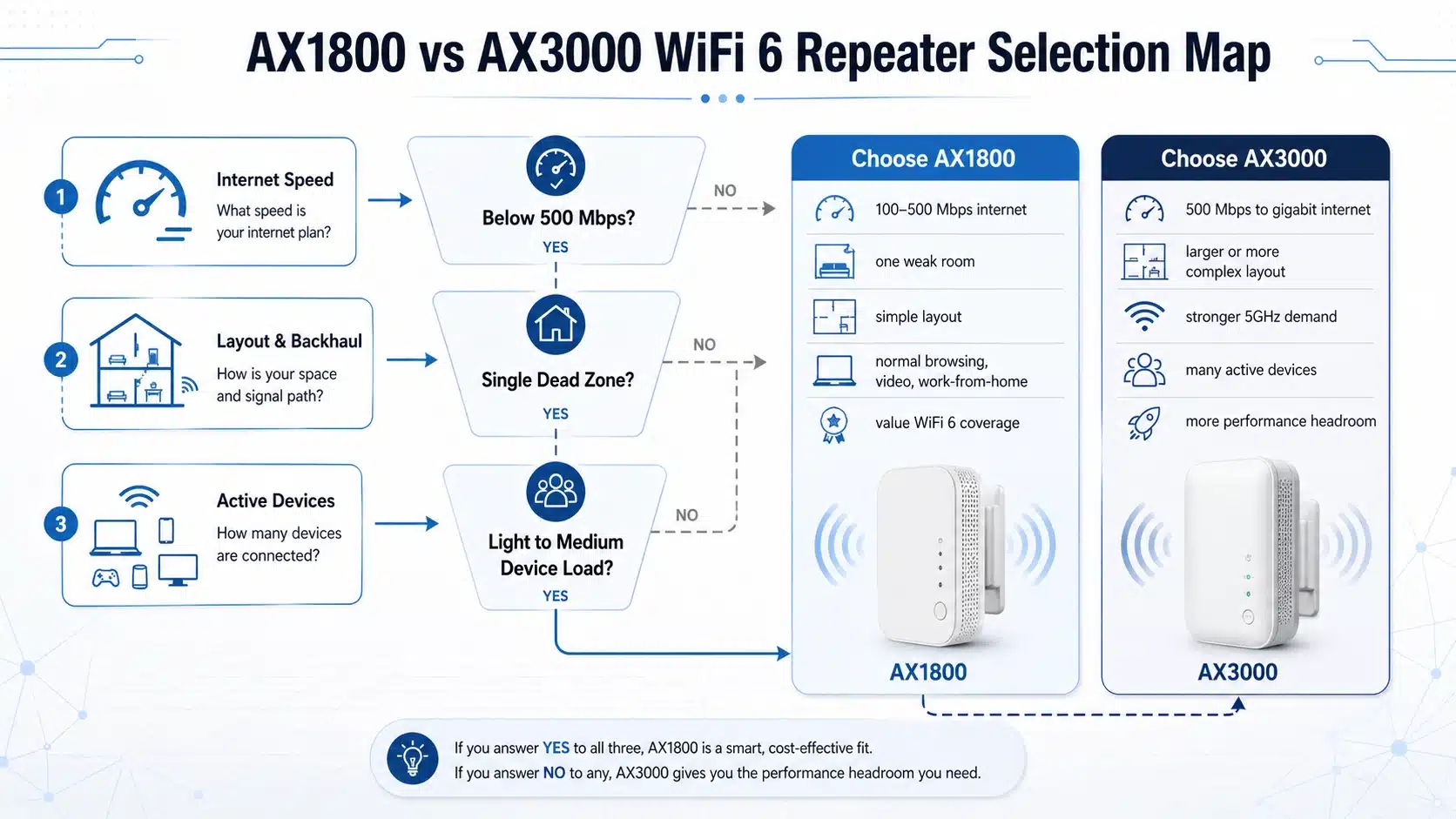
A practical repeater decision is usually made in four layers: WiFi generation, band configuration, installation type, and environment.
1) Choose by WiFi Generation
| WiFi Generation | What It Usually Means for Selection |
|---|---|
| Wireless-N / 802.11n | Older, lower-demand coverage extension |
| WiFi 5 / 802.11ac | Mainstream dual-band value segment |
| WiFi 6 / 802.11ax | Better efficiency in modern multi-device environments |
| WiFi 7 / 802.11be | Higher-end roadmap and newer ecosystem targeting |
2) Choose by Band Configuration
| Band Option | Best Fit | Main Caution |
|---|---|---|
| Single-band | Basic, lower-demand coverage extension | Limited flexibility |
| Dual-band | Better balance of speed and coverage | Still sensitive to placement quality |
| Newer high-band designs | Higher-end projects and newer ecosystems | Higher cost and stronger compatibility dependence |
3) Choose by Installation Type
Plug-in repeater
Simple apartment and home deployment with low installation complexity.
Desktop repeater
More flexible placement and often broader hardware options.
Repeater with Ethernet port
Useful when one wired endpoint also needs to be connected.
External repeater
Better for outdoor-adjacent or weather-protected extension needs.
4) Choose by Environment
| Environment | What to Prioritize |
|---|---|
| Home | Simple deployment, dead-zone recovery, balanced band choice |
| Office | Stability, user density, and whether wired extension is already available |
| Outdoor | Distance, enclosure, installation constraints, and proper topology matching |
| RV / Camper | Compact format, simple setup, and practical range |
| Long-range use | Often requires a different outdoor topology, not just a standard repeater |
2.4 GHz vs 5 GHz vs 6 GHz for Repeater Selection
Band selection should follow the environment, not just the label. In many real projects, a garage, workshop, or detached room may care more about usable reach than peak close-range speed.
| Band | Main Strength | Main Limitation | Best-Fit Use |
|---|---|---|---|
| 2.4 GHz | Longer reach | Lower throughput | Basic extension and longer path environments |
| 5 GHz | Faster throughput | Shorter reach | Closer-range performance extension |
| 6 GHz | Newer-band positioning and reduced congestion in matched ecosystems | Strongest compatibility dependence and shortest practical reach | Higher-end newer ecosystems with supported devices |
Real Coverage Example: Garage or Workshop
A garage or workshop project is a good example of why the highest speed label is not always the best decision. In many of these environments, the real requirement is stable usable reach through a more difficult path, not maximum close-range throughput.
Observed problem
Coverage is needed for light tools, cameras, and occasional mobile use.
Common mistake
Assuming the highest speed class will automatically deliver the best result.
Better decision logic
Prioritize placement, path quality, and band suitability before comparing product numbers.

When Not to Choose a WiFi Repeater
- The property is large and requires seamless roaming
- The deployment must support many concurrent users
- Ethernet is already available at the target extension point
- The buyer expects access point-like stability or enterprise behavior
- The project is actually an outdoor bridge or directional link problem
Common Mistakes and Troubleshooting Logic
| Symptom | Likely Cause | Corrective Action |
|---|---|---|
| Repeater connects but the weak room is still poor | The repeater is placed inside the dead zone | Move it back toward a midpoint location |
| Link looks fast near the repeater but unstable farther away | Path loss and building obstacles still dominate | Re-check band choice and installation position |
| Performance drops badly at busy times | Too many devices for a simple repeater layout | Reassess mesh or access point architecture |
| Outdoor use is disappointing | A standard indoor design is being used in the wrong environment | Reassess outdoor-specific products or topology |
| Buyer expects wired-grade performance | The repeater is being used for the wrong architecture goal | Reframe the deployment around a wired access point or another topology |

How to Know if You Actually Need a Repeater
- You only need to fix one or two weak-signal areas
- There is no easy Ethernet path to the extension point
- The router still provides a usable signal in a midpoint location
- Seamless roaming is not the top priority
- The site is not a high-density office or enterprise layout
FAQ
Related WiFi Repeater Guides
By Product Direction
By WiFi Standard
By Scenario
About This Guide
This article is written for buyers, sourcing teams, and project planners evaluating WiFi repeater deployment logic, product positioning, and category selection.
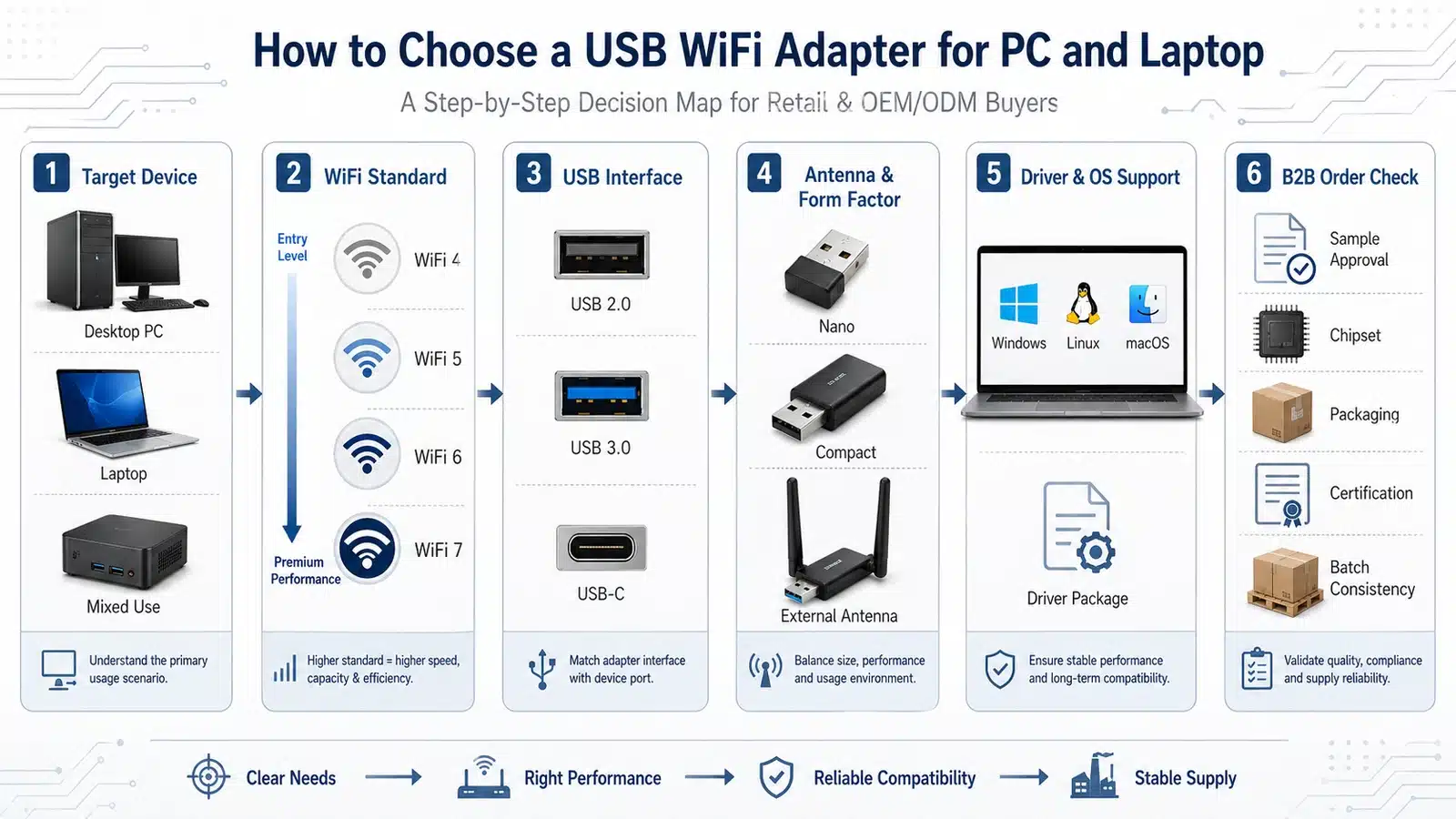
iGrentech focuses on B2B WiFi repeater and WiFi adapter product categories, including OEM / ODM WiFi repeater projects, standard-based product planning, scenario-based product selection, and installation-oriented hardware development.