A WiFi 6 repeater and a mesh WiFi system both extend wireless coverage, but they solve different coverage problems. A WiFi 6 repeater is usually the better choice when you need to fix one clear dead zone at a controlled cost. Mesh WiFi is usually better when the project needs whole-home or multi-room roaming, more stable node coordination, and easier management across several coverage points.
What Is the Real Difference Between a WiFi 6 Repeater and Mesh WiFi?
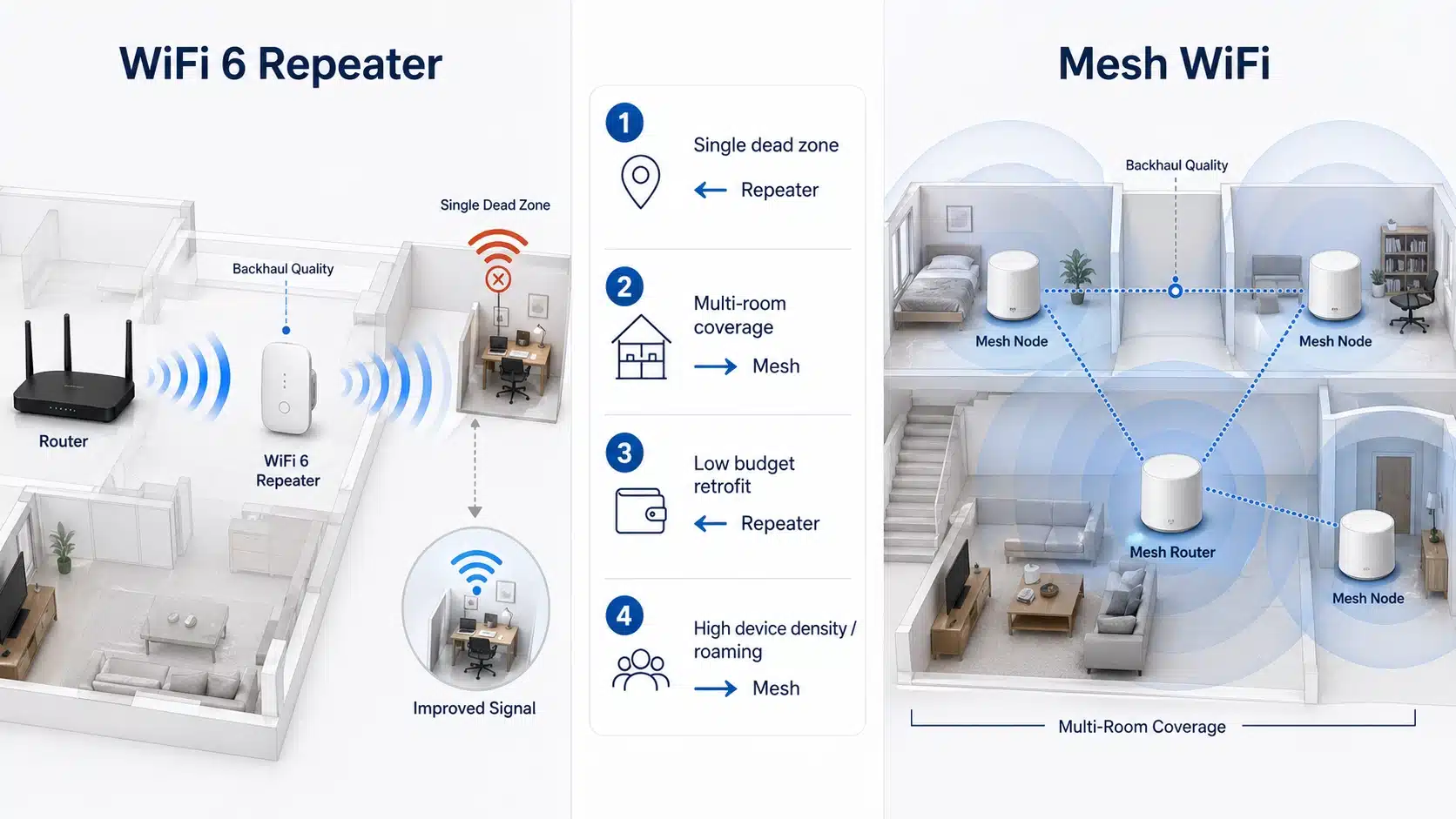
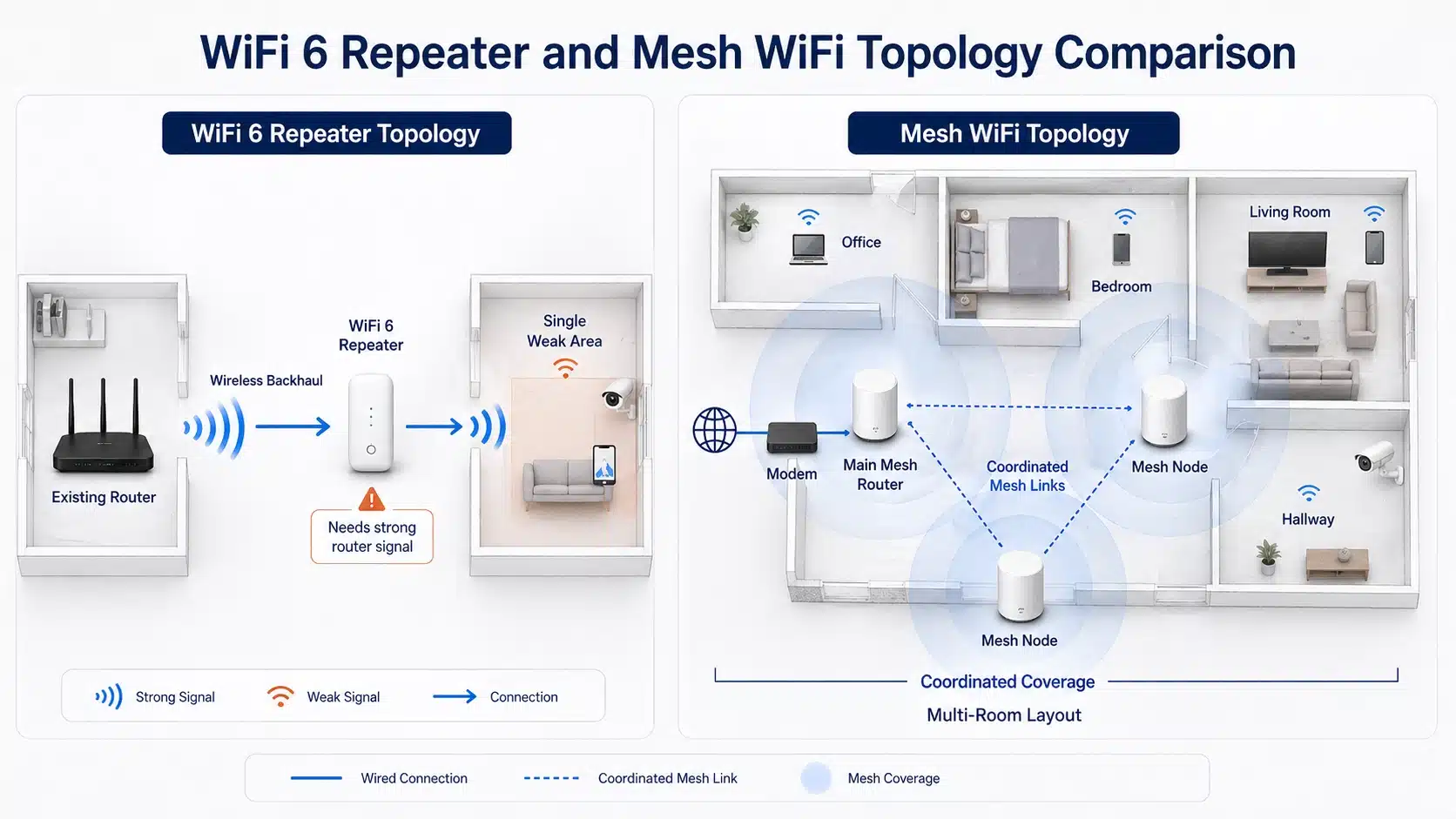
A WiFi 6 repeater receives the router’s existing wireless signal and rebroadcasts it to a weaker area. It is normally added as one extra coverage point. This makes it simple, affordable, and easy to deploy, especially for homes, apartments, small offices, dormitories, and single-room coverage problems.
Mesh WiFi is a coordinated multi-node system. Instead of simply repeating one signal, mesh nodes usually work together under one network name, with more coordinated client steering, roaming, and management. That is why mesh is often more suitable when the user expects a seamless connection while moving between rooms.
For buyers evaluating WiFi 6 repeaters, the key question is not whether mesh is “better” in general. The better question is whether the project needs one affordable extension point or a whole-network coverage architecture.
When a WiFi 6 Repeater Is the Better Choice
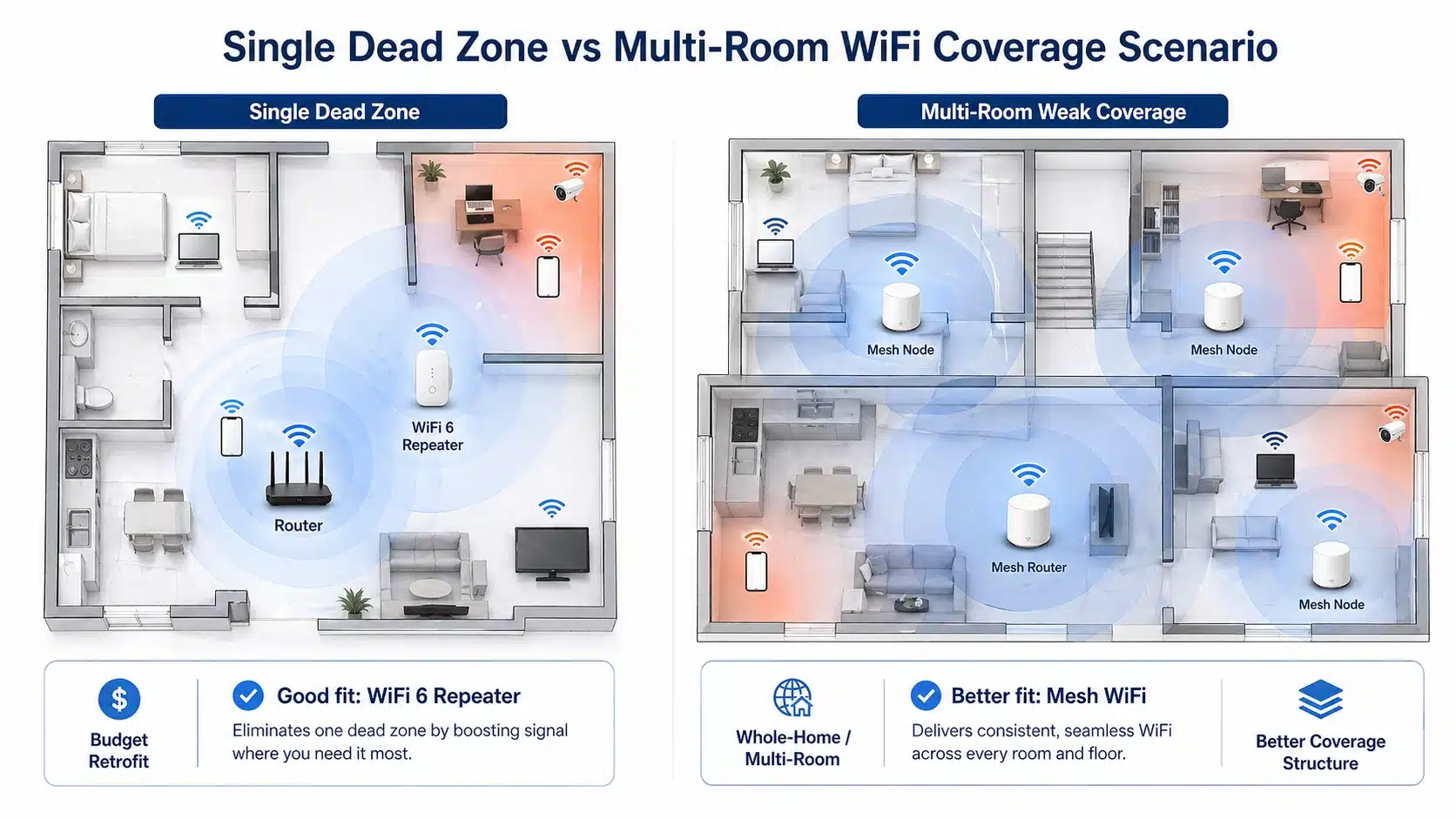
A WiFi 6 repeater is most useful when the coverage problem is clear and limited. For example, the main router covers most of the home or office, but one bedroom, meeting corner, stockroom, or second-floor landing has weak signal. In this situation, adding a repeater between the router and the weak area can improve usable coverage without replacing the whole network.
Good repeater scenario
- Only one main dead zone needs improvement.
- The repeater can still receive a medium-to-strong router signal.
- The buyer wants a lower-cost upgrade.
- Users do not require seamless roaming across many rooms.
- The project needs simple installation, such as plug-in deployment.
Weak repeater scenario
- The router signal is already very weak at the repeater location.
- There are several separated weak zones.
- Users move frequently during video calls.
- The network has many phones, laptops, cameras, and IoT devices.
- The buyer expects one unified managed coverage system.
If the project is mainly about affordable product selection, start with the WiFi repeater product category. If the project is space-limited and requires direct wall-outlet installation, compare models under plug WiFi repeaters.
When Mesh WiFi Is the Better Choice
Mesh WiFi is more appropriate when the coverage issue is not a single spot but a whole-layout problem. Larger homes, multi-floor buildings, long corridors, thick internal walls, and high device density can expose the limits of a single repeater. In these cases, several coordinated mesh nodes can create more consistent coverage and reduce the need for manual switching between weak and strong areas.
Mesh also makes more sense when roaming experience matters. If users walk from the living room to the office while on a video call, a basic repeater may not always deliver the smoothest handoff. Mesh systems are designed with multi-node coordination in mind, and the Wi-Fi Alliance also defines Wi-Fi EasyMesh as an approach for interoperable multi-access-point networking.
Backhaul Quality Matters More Than the Product Name
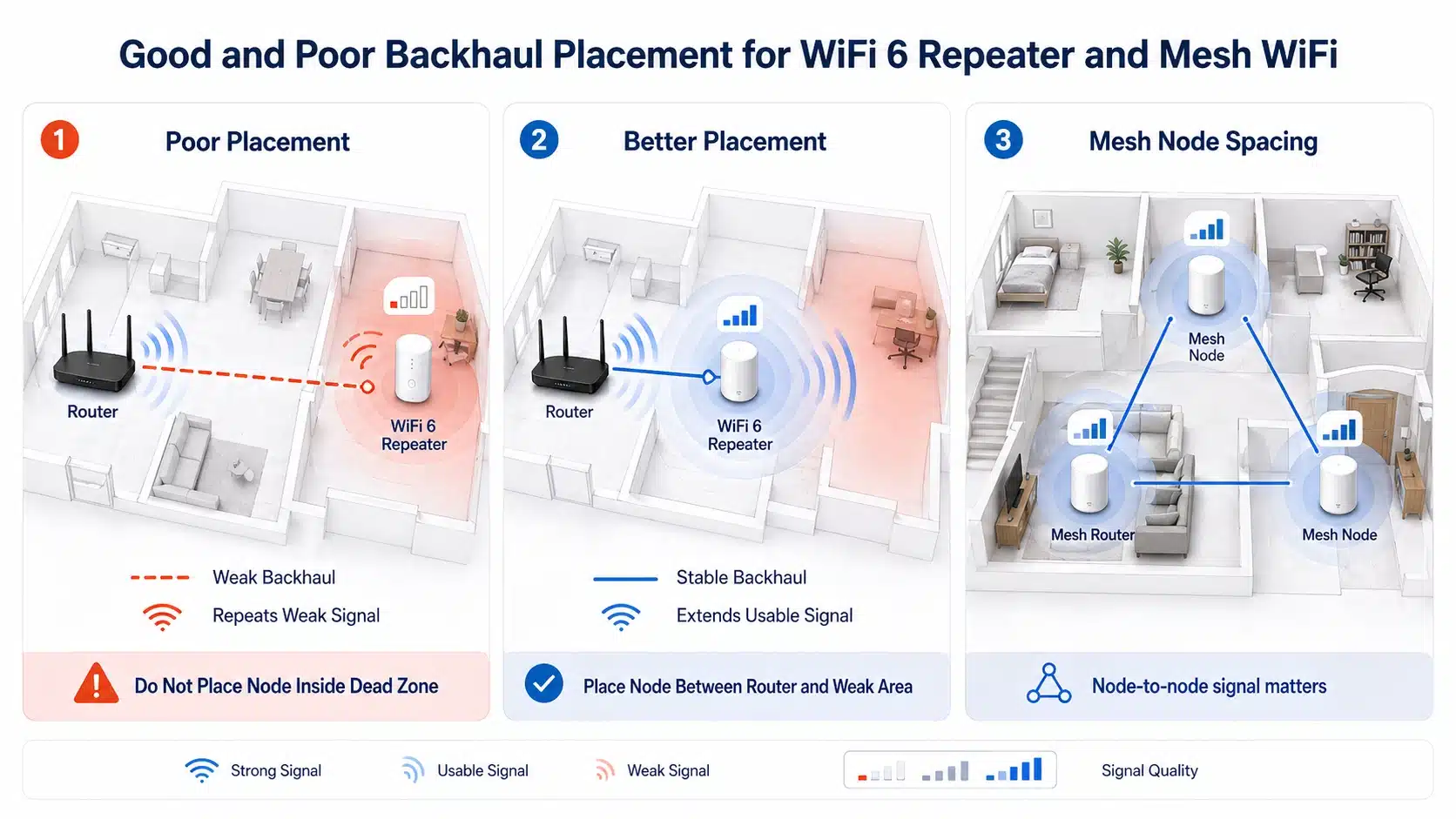
Many buyers compare WiFi 6 repeaters and mesh systems by advertised speed, but real-world performance depends heavily on backhaul quality. Backhaul is the connection between the router and the repeater or mesh node. If that link is weak, the extended network will also be weak.
This is why a WiFi 6 repeater placed inside the dead zone often performs poorly. It may show a stronger WiFi name to the user, but the repeater itself is receiving a poor signal from the router. A better installation position is usually between the router and the weak area, where the repeater can still receive a usable upstream signal.
The same principle applies to mesh nodes. Mesh does not remove physics. Thick walls, metal cabinets, long distance, and poor node spacing can still damage backhaul quality. Before selecting hardware, buyers should evaluate building layout, wall materials, router position, and the number of rooms that require stable coverage.
WiFi 6 Does Not Automatically Make a Repeater Equal to Mesh
WiFi 6, based on IEEE 802.11ax, improves wireless efficiency and capacity through technologies such as OFDMA and better multi-user scheduling. These features are useful, especially where many devices share the same wireless environment. The Wi-Fi Alliance describes Wi-Fi CERTIFIED 6 around higher efficiency, performance, and capacity for modern networks, while the IEEE 802.11ax standard defines the high-efficiency WLAN generation behind WiFi 6.
However, WiFi 6 does not change the basic topology difference. A WiFi 6 repeater is still a repeater. It can extend coverage efficiently, but it is not automatically the same as a coordinated mesh system. If the problem is one weak room, a WiFi 6 repeater can be enough. If the problem is whole-building roaming and multiple coverage zones, mesh remains the more suitable architecture.
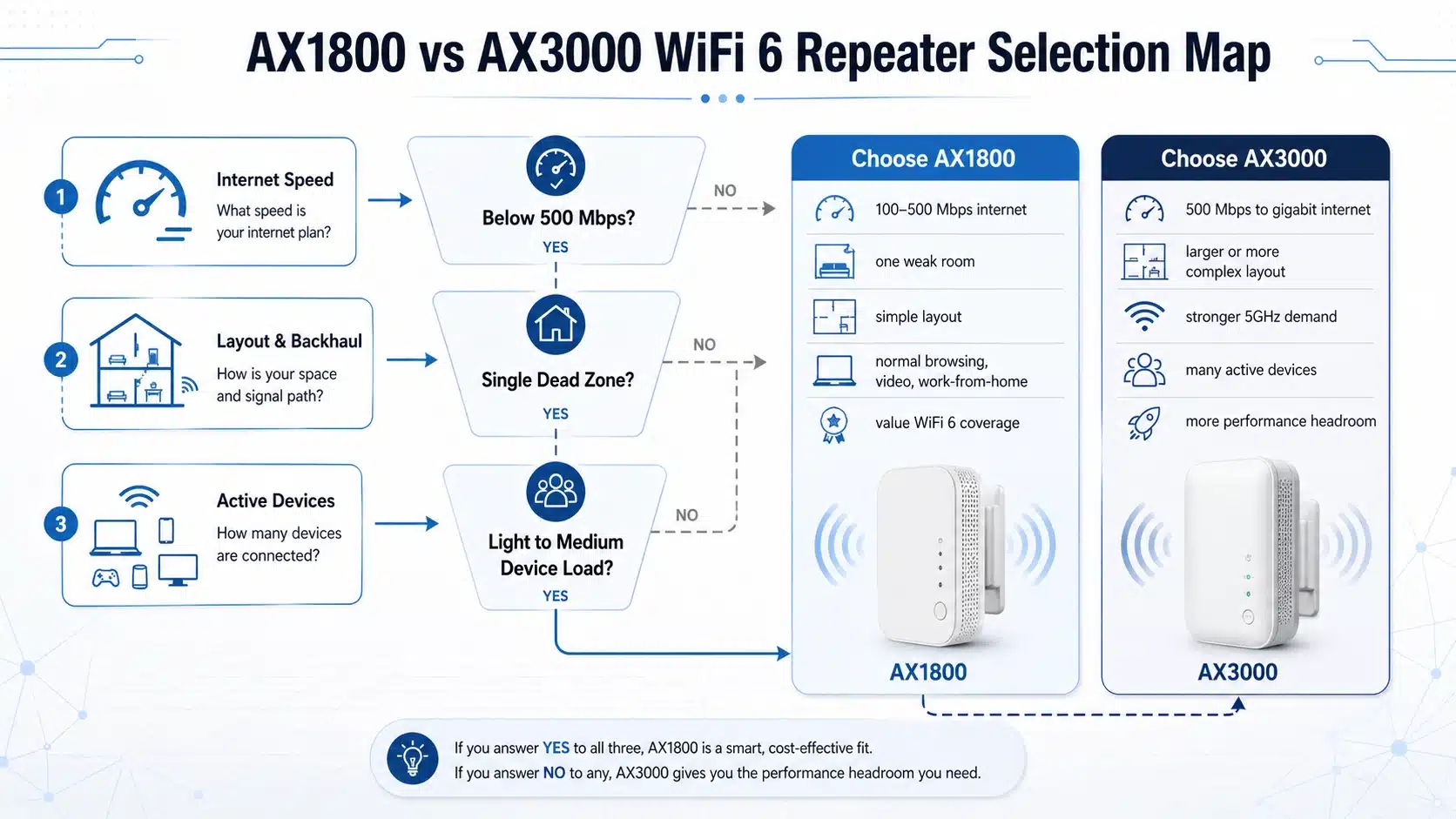
For a related speed-class decision, see our guide on AX1800 vs AX3000 WiFi 6 repeater selection. For band selection, compare single band vs dual band WiFi repeaters.
Budget Decision: When Repeater Saves Money and When Mesh Saves Trouble
A WiFi 6 repeater usually wins on initial cost. It requires fewer devices, less planning, and faster installation. For small homes, apartments, and single-zone coverage repairs, this cost advantage is meaningful.
Mesh WiFi usually costs more because the buyer needs a router plus one or more nodes, or a complete mesh kit. But in multi-room projects, the higher initial cost may reduce support issues, repeated troubleshooting, and customer dissatisfaction. In B2B purchasing, the correct choice should consider total project cost, not only the unit price of one device.

| Decision factor | WiFi 6 repeater | Mesh WiFi | Practical buyer judgment |
|---|---|---|---|
| Coverage problem | One weak area or one dead zone | Multiple rooms, floors, or separated weak zones | Repeater for a point problem; mesh for a layout problem |
| Installation complexity | Simple, often plug-and-play | Requires node planning and kit setup | Repeater is easier for small projects |
| Roaming expectation | Basic extension, may not be seamless | Better multi-node roaming experience | Mesh is better for users moving during calls |
| Device density | Suitable for moderate device load | Better for many phones, laptops, cameras, and IoT devices | Mesh is safer when density keeps increasing |
| Budget target | Lower initial cost | Higher initial cost but stronger system coverage | Choose by total project cost, not only hardware price |
| Best product fit | Home repeater, plug repeater, WiFi 6 extender | Whole-home mesh kit or managed multi-node system | Different tools for different coverage structures |
Device Density and Roaming: The Most Overlooked Difference
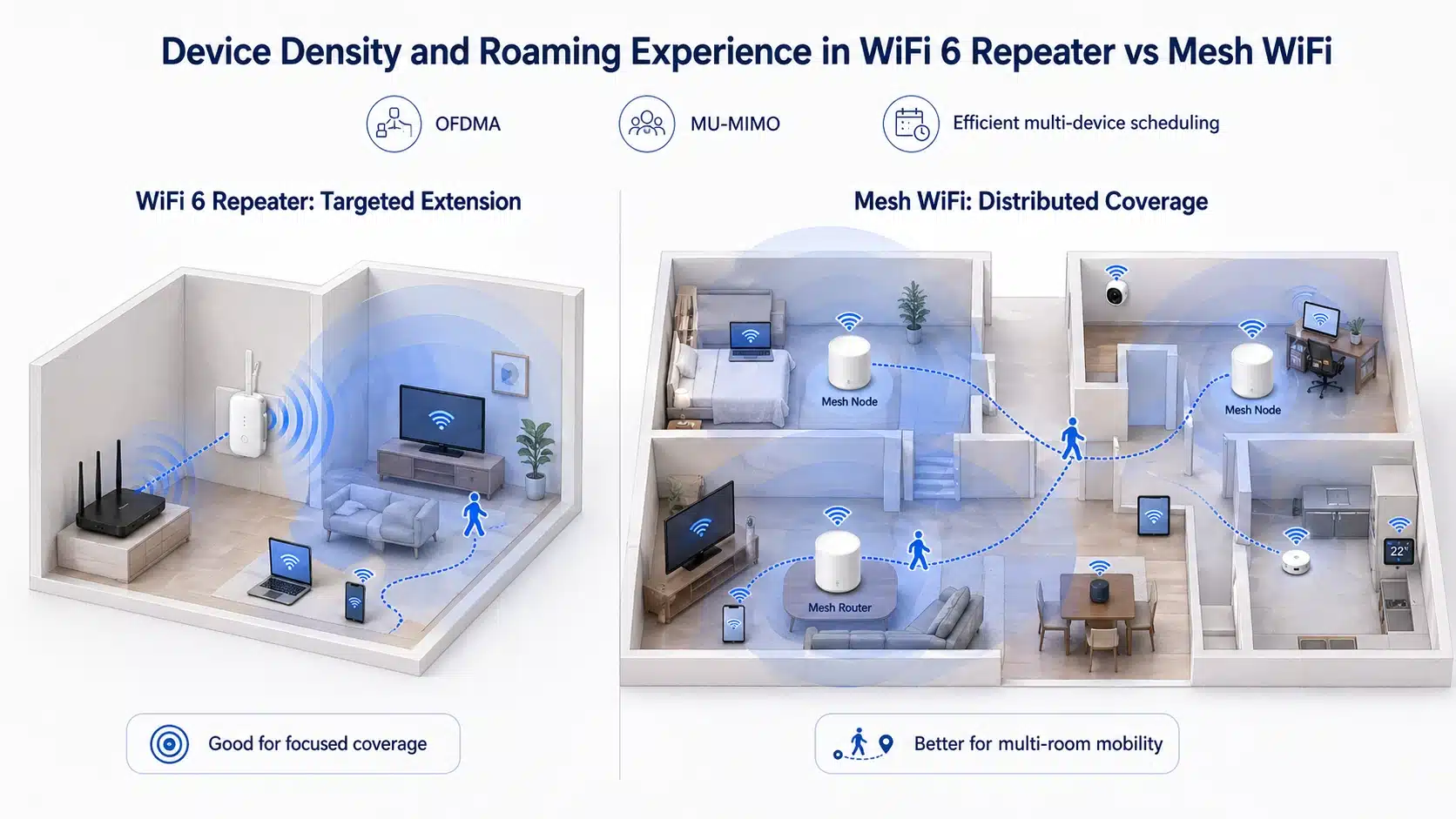
A network with only several phones and laptops is different from a network with cameras, smart TVs, tablets, printers, sensors, and smart home devices. As device density increases, airtime sharing becomes more important. WiFi 6 helps improve efficiency, but the topology still matters.
If most devices stay in fixed locations and only one area is weak, a WiFi 6 repeater may still be the right choice. If users move around with mobile devices and expect stable calls, mesh WiFi is usually better. This is especially true in larger homes, small offices, training rooms, retail environments, and multi-room service spaces.
Simple Selection Framework for Buyers
For OEM and ODM buyers, the same logic also helps define product positioning. A WiFi 6 repeater product line should not be presented as a universal replacement for mesh. It should be positioned for cost-effective coverage extension, simple installation, compatibility, and targeted weak-zone repair. Mesh should be positioned for larger coverage architecture and roaming-sensitive environments.
Recommended Internal Reading Path
If you are building a complete WiFi repeater content and product evaluation path, start from the main WiFi repeaters category page, then compare WiFi 6 repeaters by speed class, band design, Ethernet port, and installation style.
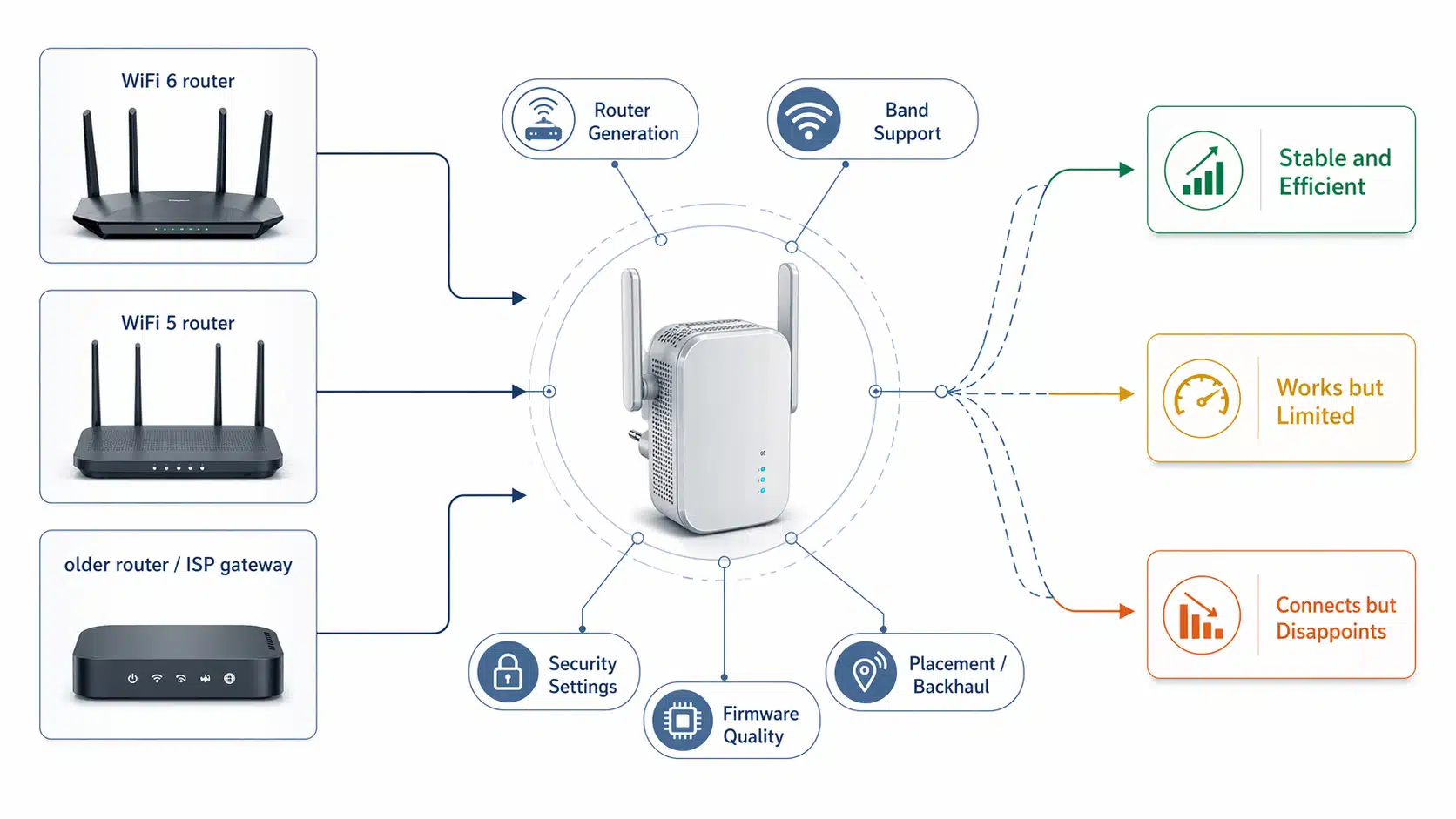
For compatibility and deployment questions, continue with whether a WiFi repeater works with any router. For model-level selection, compare AX1800 vs AX3000 WiFi 6 repeaters. For basic band selection, read single band vs dual band WiFi repeaters.
Technical References Used for This Guide
This article uses external technical references only where they support the core engineering logic. The goal is not to stack links, but to help readers understand why WiFi 6 efficiency, mesh coordination, and backhaul quality should be evaluated separately.
- Wi-Fi Alliance: Wi-Fi CERTIFIED 6 — useful for understanding the WiFi 6 generation and its efficiency-focused feature set.
- Wi-Fi Alliance: Wi-Fi EasyMesh — useful for understanding coordinated multi-access-point networking.
- IEEE 802.11ax standard page — the high-efficiency WLAN standard behind WiFi 6.
- Wireless Broadband Alliance: Wi-Fi 6 Deployment Guidelines and Scenarios — useful for deployment-oriented WiFi 6 planning.
Need a WiFi 6 Repeater Product Line for Your Market?
IGRenTech supports WiFi repeater and wireless networking product selection for B2B buyers, distributors, and OEM/ODM projects. If your target market needs plug repeaters, WiFi 6 repeaters, Ethernet-port models, or application-specific range extender products, the first step is to define the coverage scenario and hardware positioning clearly.
View WiFi Repeaters View WiFi 6 RepeatersFAQ: WiFi 6 Repeater vs Mesh WiFi
Not always. A WiFi 6 repeater is better when the problem is one limited weak area and the budget is controlled. Mesh WiFi is better when the problem includes multiple rooms, roaming, and higher device density.
It can improve usable WiFi in a weak area, but it cannot create more internet bandwidth than the router and broadband connection provide. The actual result depends on backhaul quality, placement, wall loss, and device load.
Mesh WiFi usually performs better for larger or multi-room layouts, but node placement still matters. Poorly placed mesh nodes can also suffer from weak backhaul and unstable performance.
Avoid relying on one repeater when several rooms have weak signal, when the repeater must be placed far from the router, or when users need seamless roaming during calls and video meetings.
WiFi 6 improves efficiency for multi-device environments, but topology still matters. For one room, a WiFi 6 repeater may be enough. For many rooms with many moving devices, mesh WiFi is usually the safer design.