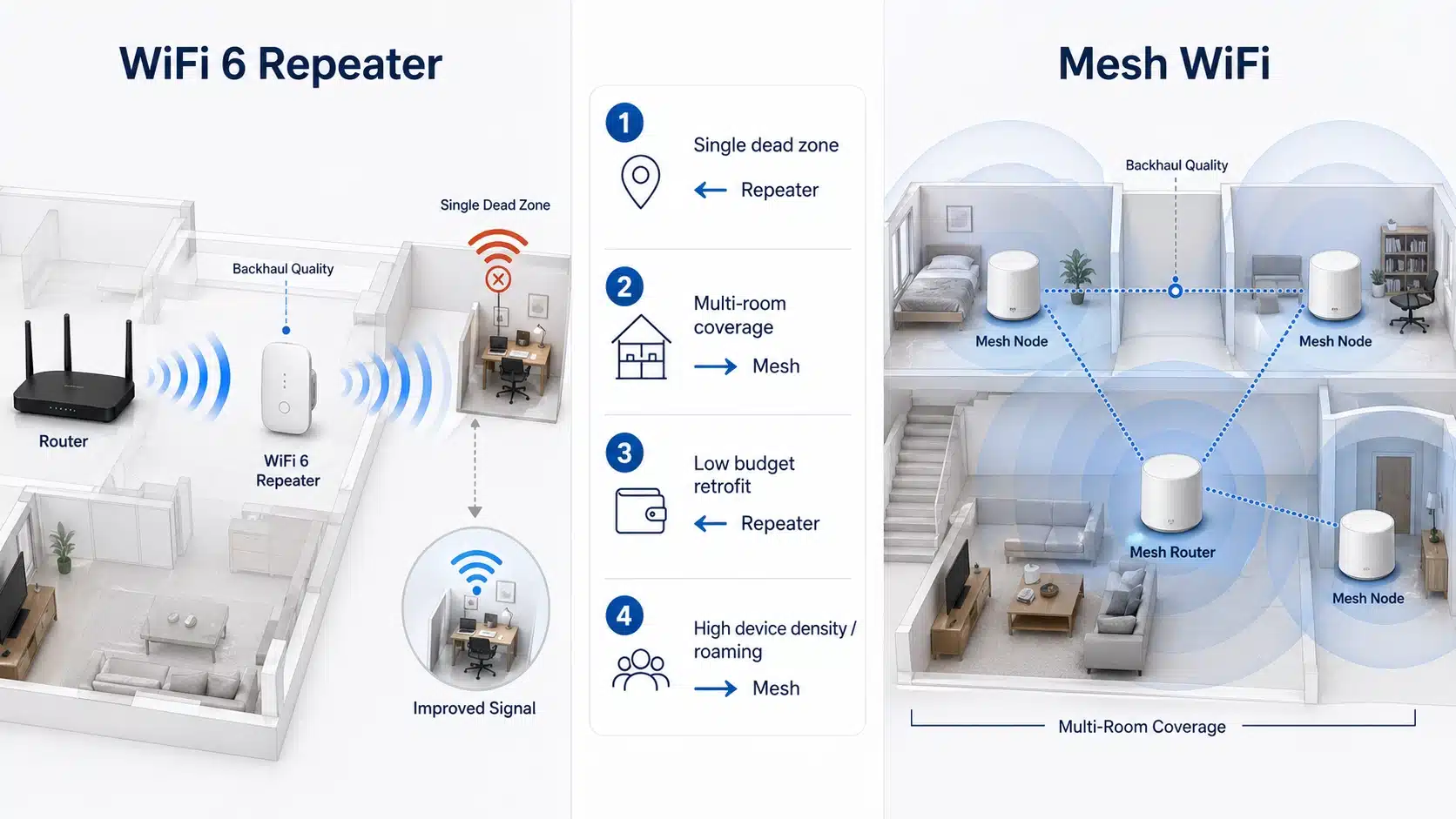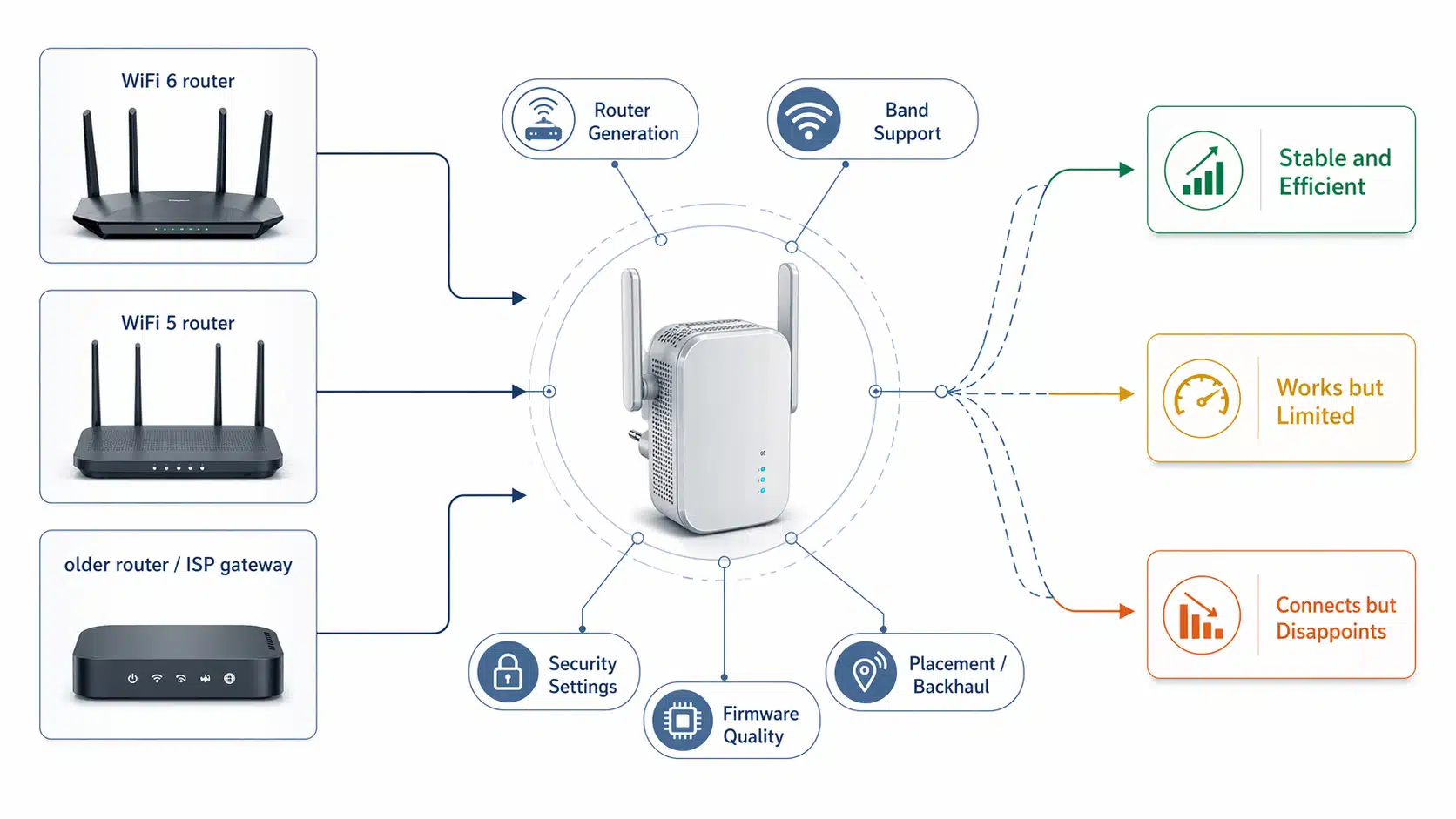
Choosing a WiFi repeater is not only about headline speed. For most B2B buyers, the better question is whether the product matches the target router generation, the expected device density, the installation environment, and the required setup logic. A model that looks strong on paper can still be the wrong commercial fit if the port layout, enclosure type, firmware path, or OEM direction do not match the project.
This guide breaks the selection process into seven practical factors so distributors, importers, brand owners, and project buyers can compare products more efficiently before asking for samples or quotation.
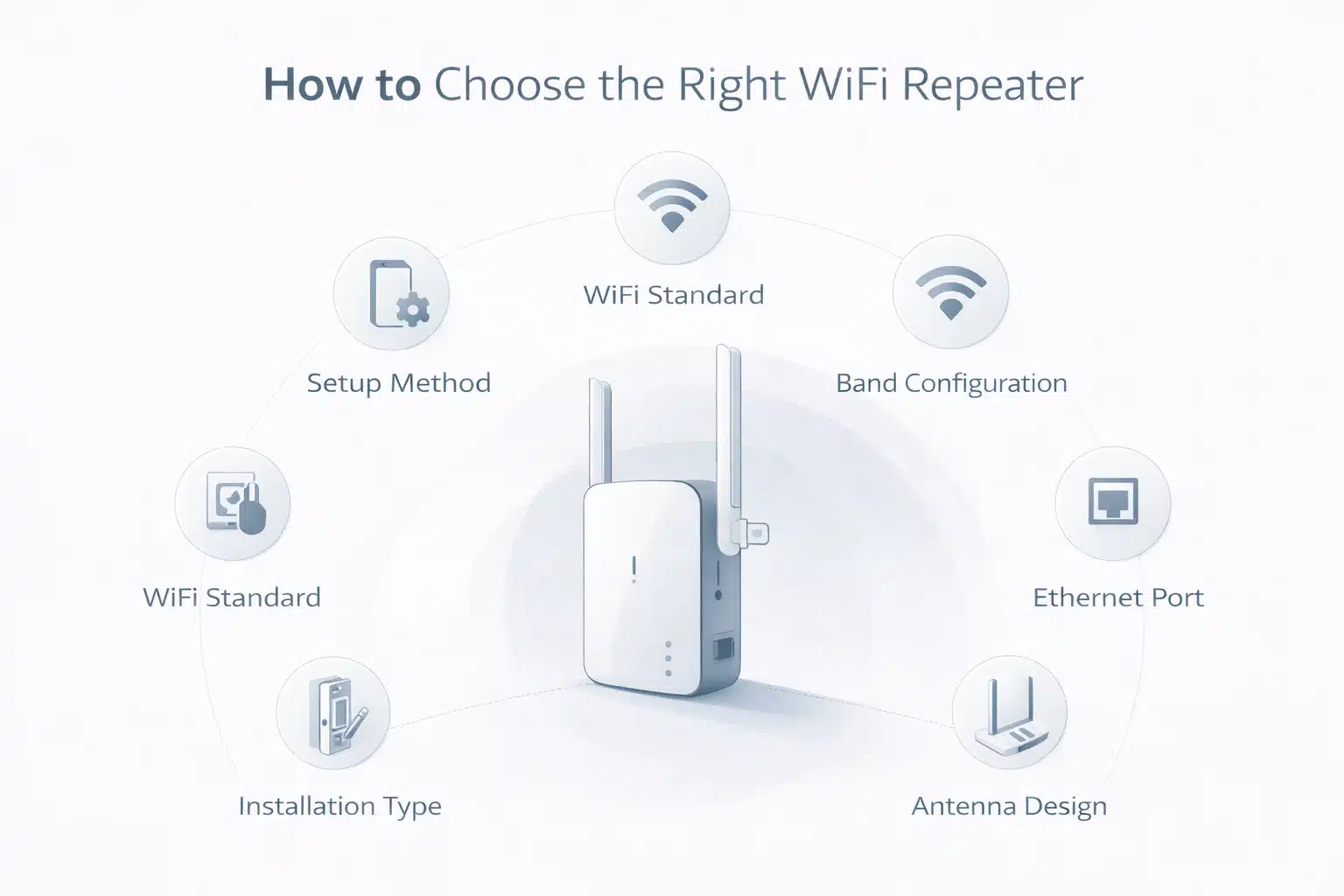
Before you compare individual models, it helps to start from product logic rather than price. The right sequence is usually: standard → band layout → throughput class → antenna structure → Ethernet need → installation type → firmware and setup path.
In this article
Fast reading summary
- Do not start with “highest speed.” Start with target market, router generation, and installation environment.
- Dual-band is the mainstream commercial baseline. WiFi 6 usually offers the strongest current balance of market fit and product positioning.
- Throughput class is a positioning clue, not a guarantee of real-world speed in every room.
- Plug, external, LAN-port, and firmware differences can change the buyer fit more than the product name does.
- If the project is OEM / ODM, confirm chipset platform, firmware direction, packaging, certification path, and minimum order logic early.

Factor 1
WiFi standard
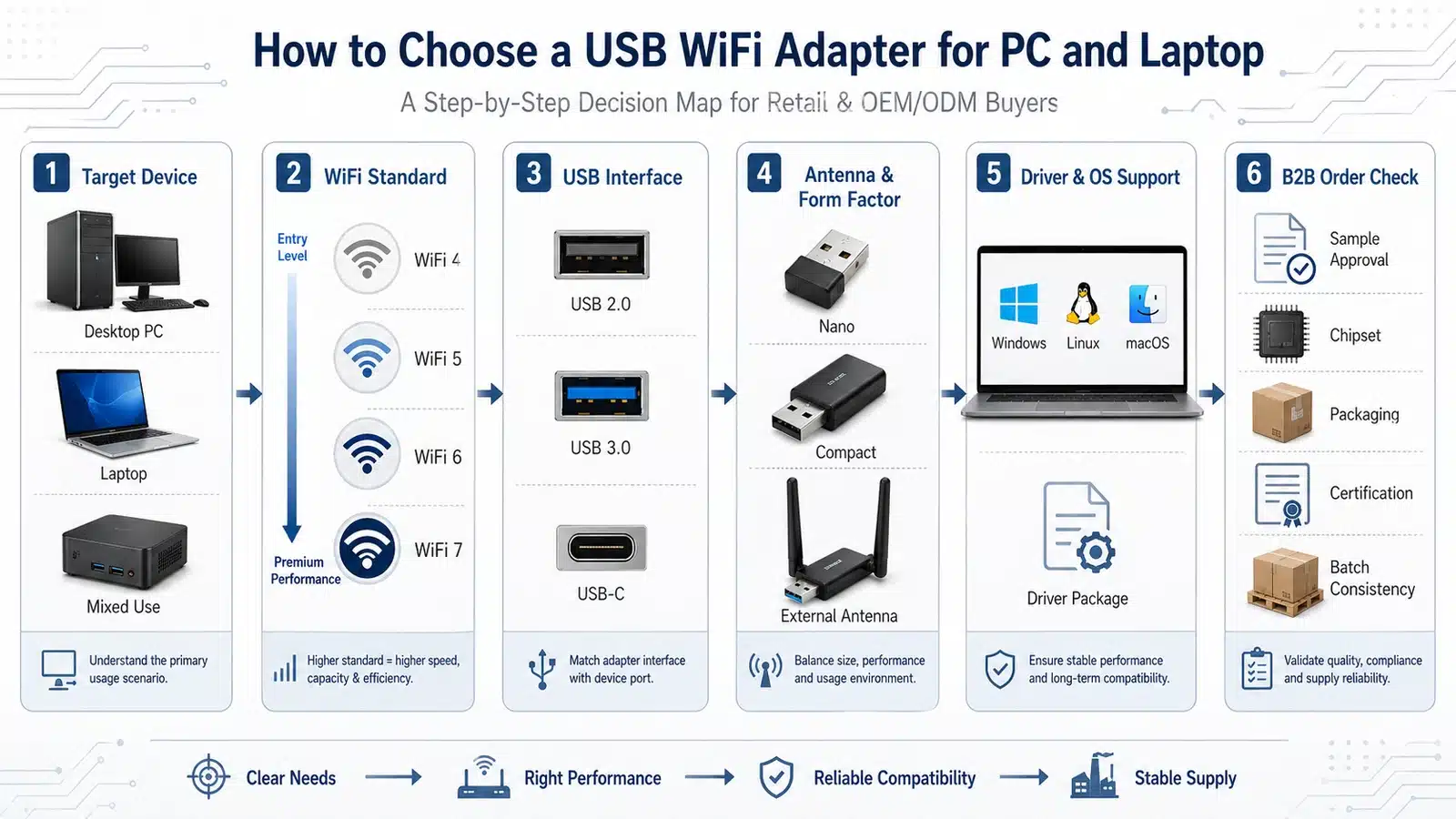
The wireless standard is the first filter because it affects platform age, expected market positioning, client compatibility language, and the likely chipset / firmware path behind the product. In practical buying terms, WiFi 5 is still a mature mainstream tier, WiFi 6 is often the strongest current upgrade tier, and WiFi 7 sits higher as a premium or forward-looking direction.
Buyers should avoid choosing a higher standard only because the label looks newer. The correct standard depends on the router generation in the target market, expected device density, price band, and whether the product line is meant to be entry-level, mainstream, or flagship.
WiFi 5
Usually the value-focused mainstream option for stable dual-band programs where price control and broad market familiarity still matter. See WiFi 5 Repeaters.
WiFi 6
Often the best all-round commercial tier for current upgrade projects because it better matches modern multi-device usage and newer router environments. See WiFi 6 Repeaters.
WiFi 7
Better treated as a premium positioning direction when the line needs stronger future-facing differentiation rather than only mainstream value. See WiFi 7 Repeaters.
Selection warning
A newer standard does not automatically mean a better SKU for every project. The correct question is whether the platform fits the target market’s router base, price ceiling, and daily usage pattern.
Authority note: If you mention standards or certification in a product article, keep the terms separated clearly. The IEEE 802.11 working group defines the WLAN standard family, while commercial Wi-Fi certification examples show how product claims are validated in the market. Useful references:
IEEE 802.11,
Wi-Fi Alliance public certificate example (Wi-Fi CERTIFIED 6 / WPA3 / PMF),
Wi-Fi Alliance public certificate example (Wi-Fi CERTIFIED 7).

Use standard tier to define commercial positioning first, then move into hardware detail.
Factor 2
Band configuration
After standard tier, check the band structure. For most repeater projects, the real buying line is not single-band versus dual-band in abstract terms. It is whether the product can handle the expected traffic mix and whether the extra 5 GHz capability matters in the actual deployment environment.
Single-band products usually stay in budget or legacy directions. Dual-band products are the mainstream commercial baseline because they offer more practical flexibility for current routers and client devices. Higher-tier products may move into stronger 5 GHz or multi-band positioning, but that only makes sense when the market can absorb the added price and performance story.
When dual-band makes more sense
- Modern home and apartment upgrade projects
- Retail programs targeting stronger everyday performance perception
- Mixed device environments where older and newer clients coexist
- Projects that need clearer differentiation from basic 2.4 GHz-only products
What buyers should confirm
- Actual band structure and advertised class
- Whether the target market still carries many low-end single-band routers
- Whether the product is meant for basic coverage recovery or stronger upgrade positioning
- Whether the main usage is low-load browsing or heavier concurrent traffic
Factor 3
Throughput class
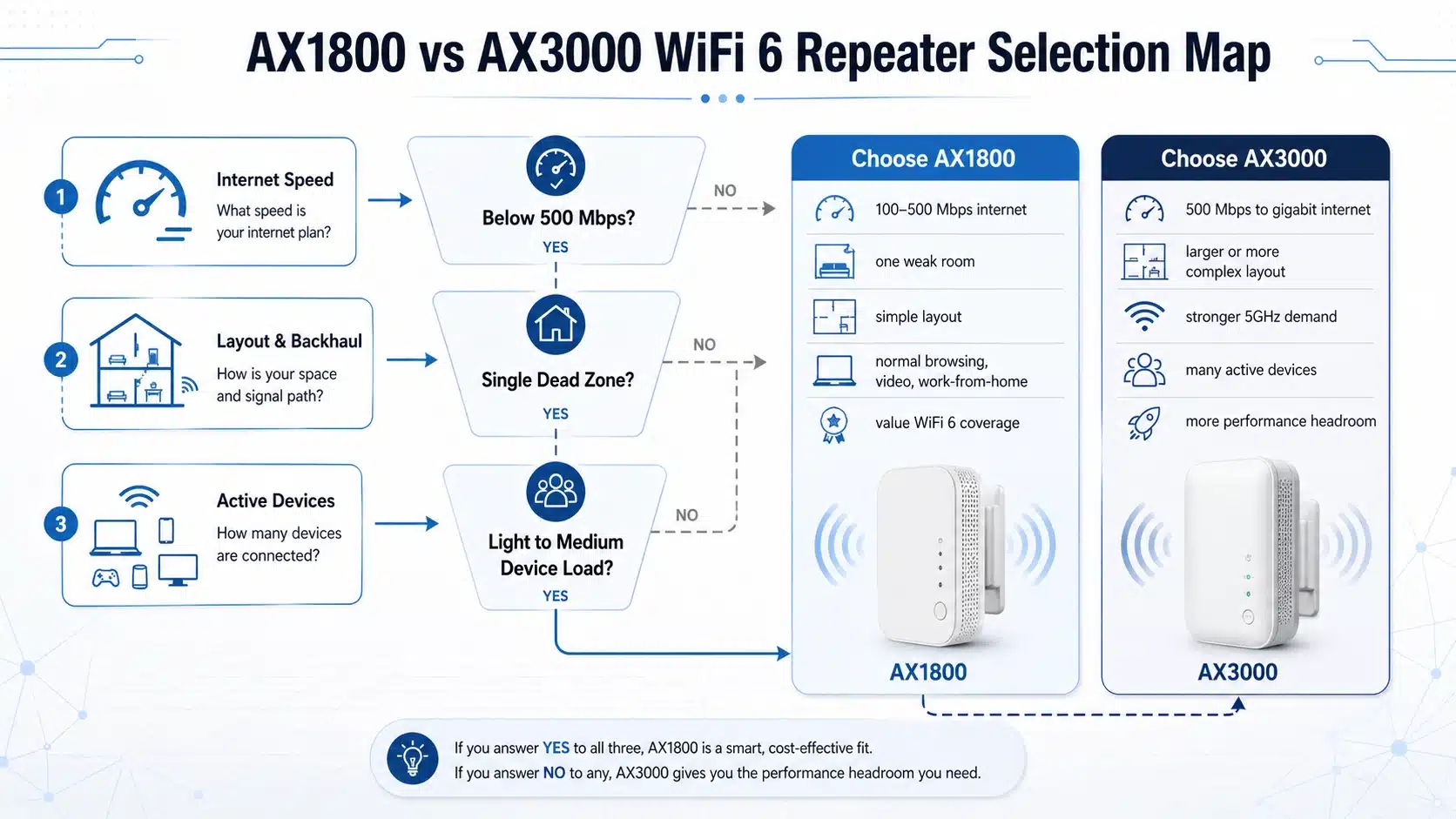
Buyers often over-focus on AC1200, AX1800, AX3000, and similar labels. These class names are useful for market positioning, but they should not be treated as guaranteed real-world throughput in every room. Repeater performance still depends on incoming signal quality, wall loss, interference, client capability, channel width, and installation position.
A higher class can still be the wrong choice if the product is going into a weak-backhaul location or a value-sensitive market segment. For that reason, throughput class should be read as a selection indicator, not as a promise that every user will see the printed number.
Use class labels for positioning
They help compare product tiers, retail price bands, and performance expectations.
Do not confuse class with actual speed
Field results depend on signal source quality, placement, interference, and client device limits.
Read the environment with the class
A strong class can underperform if installed too far from the main router or behind heavy wall loss.

Placement can change the usable result more than the headline throughput class.
Factor 4
Antenna design
Antenna design affects not only appearance, but also enclosure layout, signal behavior, product perception, and deployment suitability. In many product lines, the antenna decision changes how the repeater is positioned more than the product name does.
Internal-antenna designs usually support a cleaner and more compact look, which fits basic indoor retail directions. External-antenna designs often give buyers a stronger “coverage” impression and are commonly used where signal orientation, hardware presence, or more aggressive visual positioning matter.
Internal antenna direction
Better for cleaner industrial design, smaller wall-plug products, and simpler indoor mainstream positioning.
External antenna direction
Better when the market expects a stronger hardware look, visible signal-oriented design, or more installation flexibility.
Do not oversell antenna count
More antennas do not automatically mean better field performance unless the platform, radio chain, and deployment condition support the positioning.
Commercial use of antenna design
Antenna structure often influences buyer confidence, shelf presentation, and category differentiation as much as technical language does.
Factor 5
Ethernet port requirement
Many buyers only check wireless specs and forget to ask whether the repeater needs to serve wired devices. That is a mistake. If the real use case includes TVs, desktop PCs, IPTV boxes, game consoles, or light office equipment, Ethernet can become a deciding factor.
The correct question is not only “Does it have a LAN port?” Buyers should also confirm whether the port is there for simple wired bridging, whether access point mode matters, and whether the port speed fits the intended positioning.
When Ethernet matters
- Mixed wired and wireless deployment
- TV / IPTV / PC / console connection needs
- Projects where AP mode may be part of the use scenario
- Higher-value SKU differentiation within one product family
What to confirm
- Port count and actual role
- Fast Ethernet or Gigabit Ethernet level
- Whether AP mode is supported
- Whether the port is mainly for convenience or for real traffic demand
Factor 6
Installation type
Installation type directly affects where the product can be used, how easy it is to deploy, and what kind of buyer will choose it. This is why wall-plug and external designs should not be mixed into the same buying logic.
Plug WiFi repeaters usually fit indoor projects where speed of installation, compact size, and low user friction matter most. External WiFi repeaters make more sense where visible antenna structure, stronger coverage perception, or tougher installation conditions matter more.
Plug WiFi Repeater
- Fast indoor deployment
- Smaller footprint
- Better for apartments, bedrooms, study rooms, and simple retail installs
- Lower installation friction for mainstream home use
External WiFi Repeater
- Stronger hardware presence
- More suitable when antenna structure matters to the buyer
- Better for scenarios requiring more visual coverage confidence
- Useful for projects where enclosure style affects product positioning
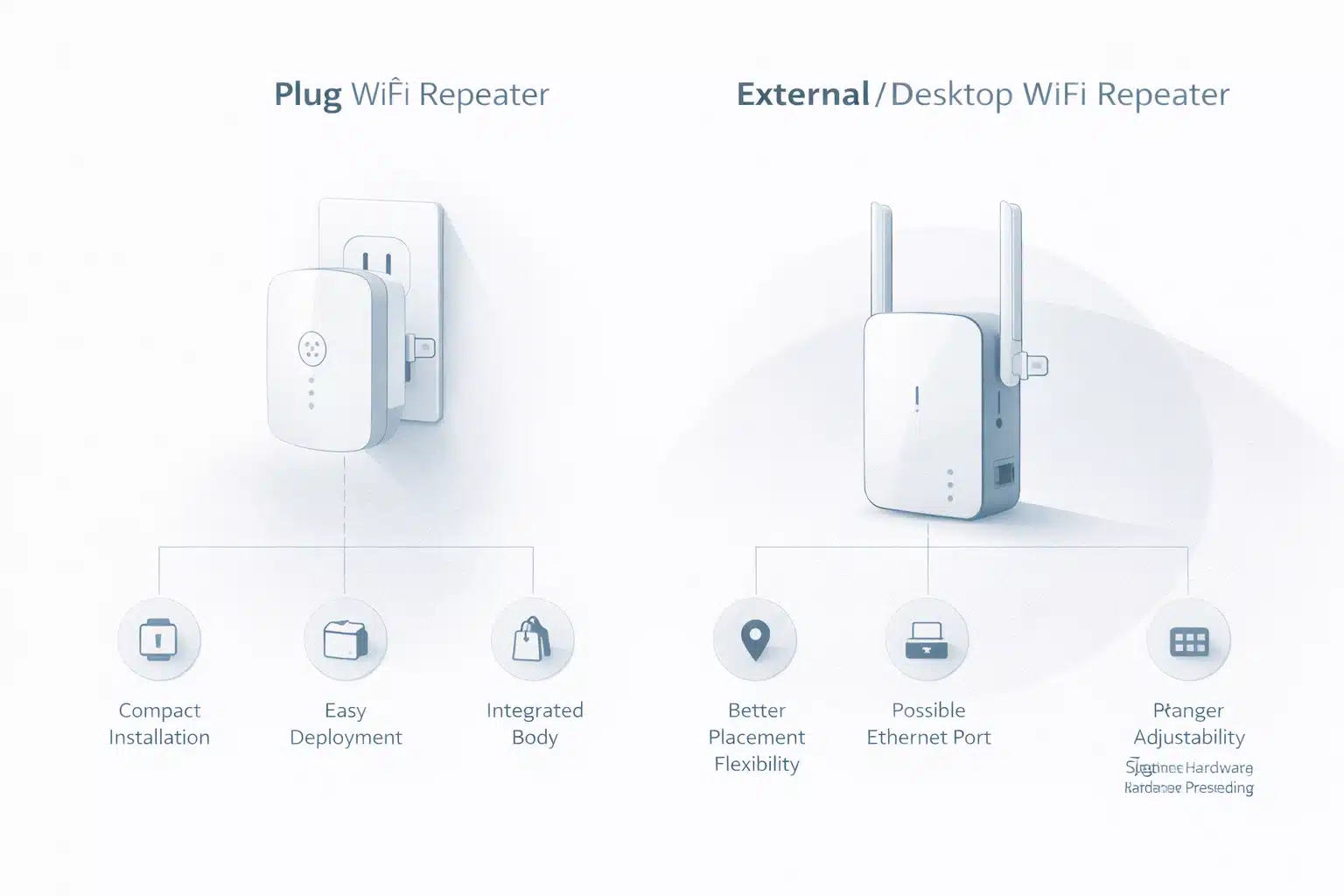
Installation type changes buyer fit, product appearance, and deployment expectations.
Factor 7
Firmware and setup method
Hardware alone does not decide whether a repeater is easy to sell. Firmware and setup logic are often what determine return rate, installation success, and end-user perception. Buyers should confirm whether the device relies mainly on WPS, a web UI, an app path, or a more customized firmware direction.
WPS may help simplify first-time pairing, but it should not be the only decision point. Buyers should also check whether the interface is stable, whether multilingual UI is needed, whether remote management matters, and whether the product needs a cleaner branded setup experience.
Ask these setup questions
- Is setup mainly by WPS, web UI, app, or mixed method?
- Does the project need branded firmware or custom UI language?
- Is the target market sensitive to onboarding complexity?
- Do you need more than a simple consumer quick-start path?
Security and certification note
- Do not mix “supports WPA3” with “certified for every market” as if they were the same claim.
- Check what the firmware actually supports and how the project will state that support.
- Keep standards, security features, and certification wording precise in product pages.

Setup quality affects retail usability, support workload, and post-sale satisfaction.
Project layer
OEM / ODM considerations
If the repeater is being sourced for private label or custom development, the selection logic should go beyond retail-facing specs. At that point, the buyer should confirm platform path, enclosure direction, firmware scope, packaging language, logo treatment, certification plan, and MOQ structure before sample approval.
In other words, OEM / ODM buyers should not ask only whether a model is technically usable. They should ask whether it is commercially adaptable. That is the difference between buying a finished generic SKU and building a repeatable product program.
Platform path
Confirm chipset family, standard tier, firmware base, and product-line expandability.
Brand-ready execution
Check logo, packaging, manuals, label rules, and localized market presentation.
Project feasibility
Clarify MOQ, sample cycle, feature changes, certification scope, and delivery logic early.
For buyers building a branded or customized repeater line, it is usually better to continue from the
OEM / ODM WiFi Repeaters
page after finishing this article. For broader category review, use the
main WiFi Repeater hub.
Fast screening
Quick buyer checklist
Before moving into sample testing or quotation, use this checklist to remove mismatched products early. It keeps the discussion focused on fit instead of generic speed claims.
| Buyer checkpoint | Why it matters | What to confirm |
|---|---|---|
| Target standard | Defines product tier, market fit, and upgrade story | WiFi 5, 6, or 7 direction based on router base and pricing |
| Band structure | Affects everyday usability and positioning | Single-band, dual-band, or higher-tier multi-band logic |
| Throughput class | Shapes price band and product story | Use class for comparison, not as guaranteed field speed |
| Antenna structure | Changes enclosure style and buyer perception | Internal or external antenna direction, and why |
| Ethernet requirement | Important for wired devices and AP-related use | Port count, port speed, and operating role |
| Installation type | Directly affects deployment fit | Plug, external, desktop, or other hardware form |
| Firmware / setup path | Influences usability, support cost, and return risk | WPS, web UI, app, branding scope, and setup stability |
| OEM / ODM feasibility | Decides whether the SKU can become a repeatable project | Platform, packaging, branding, certification, MOQ, and lead time |
FAQ
These are the questions buyers most often ask after narrowing the shortlist.
Is the highest throughput class always the best choice?
No. A higher class can help product positioning, but it does not automatically make the repeater the right commercial choice. Standard tier, deployment quality, router compatibility, and installation position still affect the usable result.
Should I choose WiFi 5, WiFi 6, or WiFi 7 for a new repeater line?
Choose by market tier, not by novelty alone. WiFi 5 remains a mature value tier, WiFi 6 is often the strongest mainstream upgrade path, and WiFi 7 fits premium or future-facing positioning better.
When does a plug WiFi repeater make more sense than an external one?
Plug models make more sense where fast indoor deployment, compact size, and low setup friction matter most. External designs make more sense when antenna structure, stronger coverage perception, or hardware presence influences the buying decision.
Do I really need an Ethernet port on a repeater?
If the use case includes TVs, PCs, IPTV boxes, consoles, or mixed wired / wireless deployment, yes. Ethernet can be a major value point, especially when AP mode or wired bridging is relevant.
Is WPS enough as the main setup method?
WPS can simplify first-time connection, but it should not be the only thing you evaluate. Buyers should also confirm web UI quality, app dependence, language support, firmware stability, and the overall onboarding experience.
What should OEM / ODM buyers confirm before asking for quotation?
Confirm platform direction, enclosure type, firmware scope, branding options, packaging rules, certification plan, MOQ, sample cycle, and delivery capability. Those factors usually decide whether a repeater can become a scalable commercial project.
Conclusion
The right WiFi repeater is the one that matches the real project logic: target router generation, traffic level, installation environment, port need, setup path, and commercialization plan. That is why smart buyers do not choose by speed label alone.
Start with the correct category direction, then narrow the shortlist by hardware format and firmware fit. For broader product navigation, continue to the WiFi Repeater hub. If your traffic is more search-led around terminology, the WiFi Range Extenders page is also a useful supporting path.