WiFi Bluetooth Adapters
WiFi Bluetooth adapters combine wireless network access and Bluetooth connectivity in one device. This category is commonly used for desktop upgrades, laptop replacement scenarios, office peripherals, retail PC accessories, and OEM projects that need one adapter to handle both WLAN and Bluetooth functions.
-
Add WiFi and Bluetooth with one adapter
-
Available in USB and PCIe formats
-
Suitable for desktop, laptop, mini PC, and bundled accessory projects
-
Easier SKU planning than using separate WiFi and Bluetooth devices
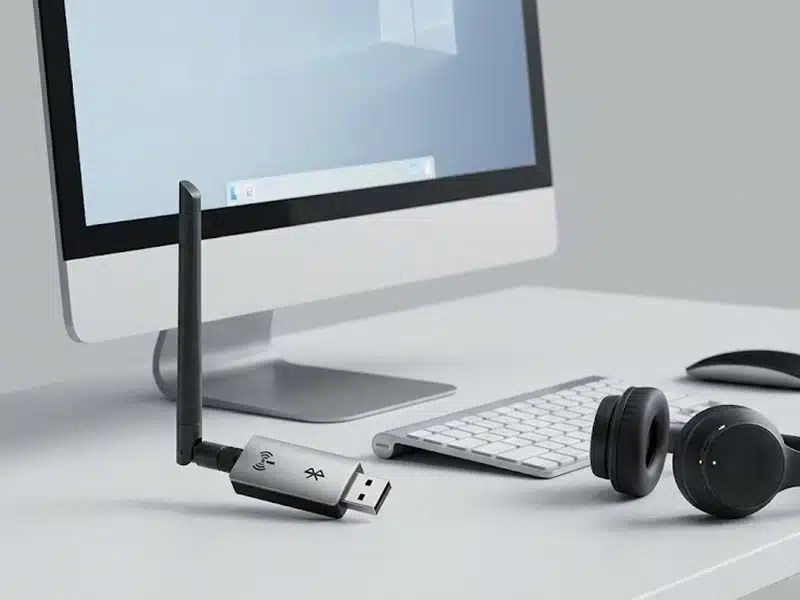
What Defines a WiFi Bluetooth Adapters
A WiFi Bluetooth adapter is a combo wireless device that adds both WLAN and Bluetooth capability to one host system. In practical buying terms, this category is less about “just adding internet” and more about combining network access and peripheral connectivity in one product.
One Device, Two Wireless Functions
This category combines WiFi connectivity and Bluetooth support in one adapter. For many desktop, mini PC, and accessory projects, that creates a cleaner hardware solution than using separate WiFi and Bluetooth devices.
A Combo Category, Not a Generic Add-On
Market language often calls these products “WiFi Bluetooth adapters,” but the more accurate engineering idea is a combo wireless adapter. The value comes from how well both functions work together, not just from the label on the package.
The Real Difference Is in the Details
Two products may both be sold under the same category name, but interface type, Bluetooth version, antenna structure, chipset platform, and OS support can make their real deployment value very different.
It Is Not a Repeater or Network Infrastructure Product
A WiFi Bluetooth adapter is a client-side wireless solution. It is used to add wireless capability to a host device, not to extend coverage, build outdoor links, or replace repeater, bridge, or CPE equipment.
Common WiFi Bluetooth Adapter Product Types
This category usually includes several practical product directions rather than one single format. The right choice depends on host device type, installation logic, antenna expectations, and how important Bluetooth functionality is in the final project.
Compact USB Combo Adapters
Best suited for basic wireless upgrade needs, portable retail packaging, and cost-sensitive projects that still want both WiFi and Bluetooth in one compact device.
- Easy to deploy and easy to replace
- Good for office accessories and light desktop use
- Usually a better fit for compact and entry-level channels
Dual-Band USB Combo Adapters
This is the most commercially flexible part of the category. It works well for desktop upgrades, home office use, and mid-range channel products that need stronger positioning than basic single-band designs.
- More balanced for general-use buyers
- Better fit for 5 GHz deployment than entry products
- Common choice for retail and OEM bundle programs
Higher-Class USB Combo Adapters
These models are usually designed for desktop environments where antenna size, wireless class, and stronger product positioning matter more than ultra-compact form factor.
- Better suited for desktops and workstations
- More room for stronger reception-oriented design
- Often a better visual and functional fit for premium accessory lines
PCIe WiFi Bluetooth Adapters
PCIe combo adapters are usually more suitable for desktop tower systems that prefer a more fixed internal installation method rather than an external USB accessory.
- Better aligned with desktop-only projects
- Useful for system integrators and PC assembly channels
- Less flexible than USB, but often cleaner for permanent desktop builds
What Buyers Should Actually Compare
In this category, headline speed is only one part of the decision. Real project fit usually depends on interface, Bluetooth generation, antenna structure, driver strategy, and how well the product matches the target operating system and host device.
| What to Compare | Why It Matters | What Buyers Should Confirm |
|---|---|---|
| Interface Type | USB and PCIe follow different installation logic and serve different host devices. | Desktop tower, laptop, mini PC, or embedded desktop-like platform? |
| WiFi Class | AC600, AX900, AX1800, and AX3000 are not just labels. They affect positioning, cost, and target customer expectations. | Entry-level use, mainstream desktop use, or higher-throughput product positioning? |
| Bluetooth Version | Bluetooth generation affects peripheral-side positioning and long-term marketability. | Is BT4.2 enough, or does the project require BT5.2 or BT5.3 positioning? |
| Antenna Structure | Reception quality is influenced by antenna design, not just by speed class. | Compact body, dual external antenna, or larger desktop-style structure? |
| OS Support | Operating system support is often model-specific rather than category-wide. | Exact Windows, Linux, or macOS support at final SKU level. |
| Driver Strategy | Driver experience affects deployment speed, returns, and end-user satisfaction. | Driver-free positioning, downloadable driver, or bundled installation package? |
| WiFi + BT Coexistence | Combo adapters should be evaluated under real simultaneous use, not just basic connection success. | Test with headset, mouse, keyboard, and active WiFi traffic together. |
| Packaging and Positioning | Retail, private label, and bulk supply projects need different presentation logic. | Retail box, anti-static bulk pack, barcode labels, manuals, and accessory inclusion. |
The best product in this category is not always the one with the highest headline number. In B2B projects, the better choice is the one that matches the host device, operating system, peripheral mix, and channel price level more accurately.
Where This Type Makes More Sense
WiFi Bluetooth adapters make the most sense when the buyer wants one product to solve both network connectivity and Bluetooth peripheral support. They are especially practical when deployment simplicity, SKU control, and clear product positioning matter.
Best-Fit Scenarios
Desktop Upgrade Projects
A practical fit for desktops that need both wireless internet access and Bluetooth connectivity for keyboard, mouse, headset, or speaker pairing.
Retail PC Accessory Programs
Suitable for channel products that benefit from clear “2-in-1 wireless upgrade” positioning and easy shelf-level differentiation.
Office and Home Office Use
Useful when one adapter needs to support both wireless networking and common Bluetooth peripherals in a simple setup.
OEM Bundles and Private Label Lines
A strong fit for brands that want fewer accessory SKUs and clearer feature positioning across entry, mid-range, and premium product lines.
Less-Ideal Use Cases
WiFi-Only Cost-Down Projects
If Bluetooth is not part of the actual use case, a pure WiFi adapter may be a cleaner and lower-cost solution.
Network Infrastructure Roles
This category is not for repeater, bridge, access point, or outdoor link deployments. It is a client-side wireless solution.
Projects Requiring Broad OS Claims
If the sales requirement is universal support across Windows, macOS, and Linux, the buyer should verify support at exact SKU level rather than assuming category-wide compatibility.
Highly Specialized Industrial Wireless Needs
Projects with unusual driver, long-term maintenance, or platform-specific requirements usually need deeper model-level validation before selection.
Frequently Asked Questions
These are the questions buyers usually ask when evaluating WiFi Bluetooth adapters for desktop upgrades, retail programs, OEM projects, or platform-specific deployment.
What is a WiFi Bluetooth adapter?
Is USB better than PCIe for a WiFi Bluetooth adapter?
Does a newer Bluetooth version automatically mean better WiFi performance?
Is a higher WiFi class always the better choice?
Do all WiFi Bluetooth adapters support Windows, macOS, and Linux?
When does this category make more sense than a pure WiFi adapter?
What should OEM or bulk buyers confirm before placing an order?
Can a WiFi Bluetooth adapter replace a repeater or bridge product?
OEM / ODM / Bulk Support
For USB WiFi adapter projects, supply support should be judged by confirmation points rather than broad factory claims. Buyers usually need stable product direction, clear compatibility scope, and controllable packaging and delivery details before scaling an order.
Product Direction Confirmation
Before sampling or bulk order, buyers should confirm wireless standard, USB interface type, antenna structure, Bluetooth option, and target market positioning. Similar-looking USB adapters may not represent the same internal direction.
Chipset and Compatibility Check
In USB adapter projects, chipset direction affects driver path, operating system support, and long-term consistency. This should be aligned early, especially for Windows, Linux, Mac, or market-specific support requirements.
Appearance and Packaging Customization
Bulk projects often require more than the hardware itself. Housing color, logo treatment, packaging style, barcode label, user manual language, and accessory combination should all be confirmed as part of the supply plan.
Sample-to-Mass Consistency
One of the most important checkpoints is whether the approved sample matches the final bulk configuration. Buyers should confirm chipset direction, shell version, interface, accessory set, and labeling consistency before scale-up.
Retail, Channel, and Project Fit
USB WiFi adapters are used differently across retail, replacement, bundle, and project channels. Product mix, packaging structure, and feature direction should match the actual selling environment rather than follow one generic SKU logic.
Delivery and Order Control
After technical direction is locked, buyers should also confirm lead time, packing format, carton marking, version tracking, and batch control. These details become more important as order size grows.