WiFi 7 Adapters
WiFi 7 adapters are the next upgrade class for buyers moving beyond WiFi 6 where client-side bandwidth headroom, 6 GHz readiness, and next-generation product positioning matter more than headline speed alone.
-
Wireless Standard: IEEE 802.11be tri-band client adapter platform
-
Core Technology Focus: 320 MHz channel support, 4096-QAM, and MLO readiness
-
Main Product Direction: USB retrofit adapters and PCIe desktop upgrade adapters
-
Deployment Boundary: Real gains depend on router/AP capability, host interface, driver maturity, and local 6 GHz availability
-
Buyer Priority: Check OS support, antenna structure, chipset path, and thermal design before rated speed claims
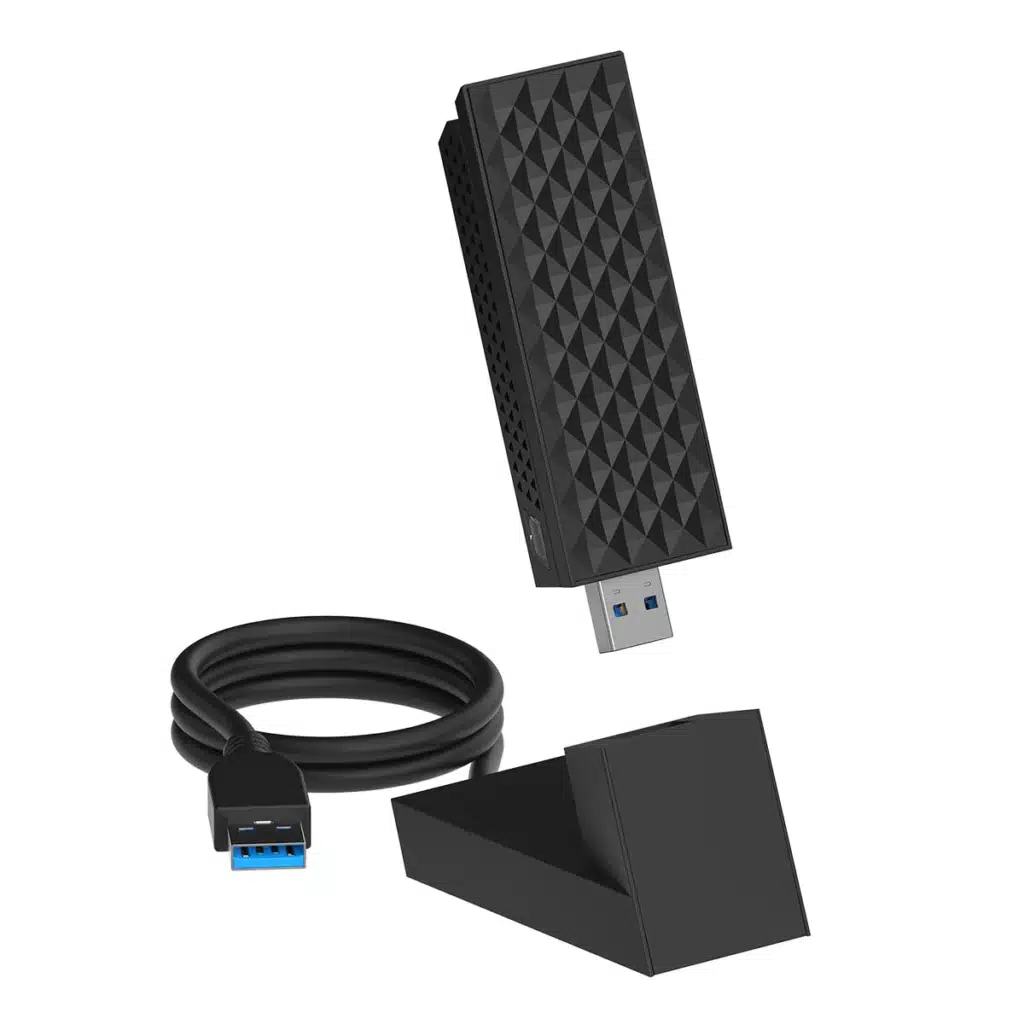
What This Category Is Actually For
WiFi 7 adapters are mainly for newer client-side upgrade projects where 6 GHz readiness, stronger platform positioning, and higher-spec wireless planning matter more than basic connectivity alone. This category is better suited to premium USB and PCIe upgrade paths than to low-cost replacement-only projects.
Use This Category When
- You are planning newer desktop or laptop wireless upgrade projects.
- You need a higher-grade product tier beyond mainstream WiFi 6 positioning.
- Your project may involve 6 GHz-capable infrastructure or future-facing spec planning.
- You are comparing USB and PCIe options for premium client connectivity.
- You need a stronger wireless category for OEM, ODM, or distributor product lines.
Not the Best Choice When
- The project only needs basic office or everyday internet access.
- The host platform is old enough that interface, driver, or OS limits become the real bottleneck.
- The budget target is mid-range and WiFi 6 already fits the actual use case.
- The network side is still outdated, so newer client capability cannot be fully used.
- The buyer expects WiFi 7 labeling alone to guarantee a major real-world speed jump.
Engineering Selection Note
This category should be treated as a platform upgrade decision, not just a speed label. Real value depends on router or access point capability, host interface headroom, driver maturity, antenna structure, and whether 6 GHz can actually be used in the target market.
Common Product Classes in This Category
In this category, buyers usually compare WiFi 7 adapters by upgrade path, platform type, and deployment value rather than by headline speed alone. The most practical split is between USB retrofit models, PCIe desktop solutions, 6 GHz-ready tri-band designs, and combo adapters built for broader platform integration.
USB WiFi 7 Adapters
Best for fast retrofit projects where installation simplicity, external deployment, and easier channel rollout matter more than maximum desktop integration.
- Easy upgrade path for existing systems
- Better for quick deployment and product-line expansion
- Commonly chosen for external plug-and-use positioning
PCIe WiFi 7 Adapters
Better suited to desktop platforms that need cleaner internal integration, more antenna flexibility, and stronger upgrade headroom for premium wireless positioning.
- More desktop-focused than general retrofit USB models
- Usually better for antenna placement and signal tuning
- More suitable for higher-grade desktop upgrade projects
6 GHz-Ready Tri-Band Models
These are the more meaningful WiFi 7 product directions for buyers planning newer infrastructure, cleaner spectrum use, and stronger future-facing category positioning.
- More relevant to next-generation network planning
- Stronger fit for premium and forward-looking product lines
- Should always be reviewed against regional and platform support
WiFi 7 + Bluetooth Combo Adapters
Designed for projects that want wireless networking and peripheral connectivity in one upgrade path, especially for desktop bundles and broader platform integration.
- Useful for integrated desktop and notebook upgrade planning
- Helps simplify product-line positioning
- More relevant when wireless plus Bluetooth is part of the same SKU logic
Classification Note
These product classes help buyers narrow direction early, but they are not performance guarantees by themselves. Final selection still depends on interface bandwidth, antenna design, OS and driver support, target market, and how well the adapter matches the actual router or access point side of the project.
What Buyers Should Actually Compare
In this category, the most useful comparison is not the biggest advertised number. Buyers should compare platform fit, usable deployment value, and long-term compatibility across interface, antenna design, software support, and network-side match.
| What to Compare | Why It Matters | What Buyers Should Check |
|---|---|---|
| Rated Speed vs Usable Value | Advertised class numbers do not equal real project performance. Actual deployment value depends on the host, the network side, and the operating environment. | Check whether the adapter is being evaluated for real deployment fit, not just for a higher headline speed label. |
| Host Interface | USB or PCIe direction changes upgrade path, platform integration, and how much practical headroom the project can actually use. | Confirm whether the project needs retrofit convenience, desktop-grade integration, or stronger antenna flexibility. |
| Band Support | Dual-band and tri-band direction changes how meaningful the upgrade really is, especially in newer infrastructure planning. | Check whether 6 GHz support is relevant, usable, and aligned with the target market instead of assuming all deployments benefit equally. |
| Antenna Design | Antenna structure affects placement freedom, signal quality, and how well the adapter performs outside ideal conditions. | Review internal vs external antenna structure, desktop placement constraints, and whether the design fits the real use environment. |
| Driver and OS Support | A strong spec sheet means little if the adapter does not fit the actual software environment of the project. | Confirm exact Windows, Linux, or Mac support scope, driver maturity, and whether the target market expects plug-and-play behavior. |
| Router / AP Match | Newer client capability does not automatically create newer network behavior if the infrastructure side is still limited. | Check whether the adapter is being paired with a router or access point that can justify a WiFi 7-class client upgrade. |
| Bluetooth Integration | In many desktop and bundled upgrade projects, Bluetooth support affects overall SKU positioning and buyer convenience. | Confirm whether the project needs a pure WiFi upgrade or a WiFi plus Bluetooth combo solution. |
| Thermal and Structure Design | Stable long-term behavior depends on more than raw chipset class. Housing, layout, and thermal path still affect product quality. | Review whether the design is intended for real sustained use, not only short benchmark-style presentation. |
| Market and Certification Direction | Market targeting affects compliance planning, software expectations, and how meaningful advanced band support will be in practice. | Check target regions, certification expectations, packaging language, and whether the product positioning matches real channel demand. |
Engineering Comparison Note
For WiFi 7 adapters, the most important comparison is not who claims the highest number, but which product makes sense within the real platform, software, antenna, and infrastructure conditions of the project. That is the difference between a higher spec label and a better product fit.
This Category vs Similar Options
Buyers do not choose WiFi 7 adapters in isolation. In real projects, the decision usually comes down to whether WiFi 7 is justified over WiFi 6, whether USB or PCIe is the better upgrade path, and whether an adapter upgrade is still more rational than a broader platform change.
| Comparison | Choose This Category When | Choose the Other Option When |
|---|---|---|
| WiFi 7 Adapters vs WiFi 6 Adapters | Choose WiFi 7 adapters when the project needs stronger next-generation positioning, newer infrastructure alignment, or a more premium upgrade path. | Choose WiFi 6 adapters when the deployment is more budget-led, the infrastructure is still mainstream, or the practical use case does not justify moving to a higher category yet. |
| USB WiFi 7 vs PCIe WiFi 7 | Choose the broader WiFi 7 category here when fast retrofit, simpler rollout, and flexible product-line coverage matter across both USB and PCIe directions. | Choose a narrower USB-only or PCIe-only path when the buyer already knows the host platform and only needs one very specific upgrade route. |
| Adapter Upgrade vs Full Platform Replacement | Choose a WiFi 7 adapter upgrade when the host still has enough platform value and the project only needs a newer wireless client path. | Choose broader platform replacement when the device is already constrained by age, software support, interface limits, or overall system value. |
| Premium Positioning vs Cost-Led Deployment | Choose this category when the product line, channel offer, or OEM roadmap needs a stronger premium-spec wireless position. | Choose a lower category when the project is driven mainly by price sensitivity, simpler deployment expectations, or mass-market replacement demand. |
| WiFi 7 Adapter vs Network-Side Upgrade Only | Choose a WiFi 7 adapter when the client side also needs to move forward and the project requires better alignment between user devices and newer infrastructure. | Choose network-side upgrade only when the client side is still adequate and the main limitation sits in the router or access point layer. |
Selection Boundary Note
This category makes the most sense when the buyer is not only chasing a higher label, but is actually planning a newer wireless client path with matching platform, software, and infrastructure conditions. That is where WiFi 7 becomes a product decision, not just a marketing upgrade.
Where This Type Makes More Sense
WiFi 7 adapters make more sense in projects where the buyer is planning a newer client-side wireless path, not just replacing a failed adapter. They are usually a better fit for premium positioning, stronger infrastructure alignment, and more future-facing product planning.
Premium Desktop Upgrade Projects
This type makes more sense when desktop users, integrators, or distributors want a more advanced wireless client path than standard mid-range adapter upgrades.
- Higher-spec desktop refresh planning
- Better fit for premium client upgrade positioning
- More suitable than entry-level replacement logic
6 GHz-Ready Network Planning
It is more relevant in projects where the buyer is already planning newer routers or access points and wants the client side to align with that direction.
- More meaningful for next-generation wireless environments
- Stronger fit where 6 GHz planning is part of the roadmap
- Better for forward-looking deployment decisions
OEM and Channel Product Positioning
For OEM, ODM, and channel buyers, this type makes more sense when the product line needs a stronger premium-tier wireless offer rather than a simple low-cost replacement SKU.
- Useful for premium catalog expansion
- Fits future-facing roadmap planning
- Better for buyers selling a higher-grade wireless story
Projects That Need More Than Basic Connectivity
This category is more suitable where the buyer values platform quality, longer-term compatibility, and category strength more than simply restoring internet access at the lowest cost.
- Better for higher-tier demand than for emergency replacement
- More suitable when product value matters beyond basic connection
- Helps buyers filter out over-simple solutions early
Deployment Boundary Note
This type makes less sense in projects that are mainly cost-driven, tied to older host platforms, or still built on older network infrastructure. In those cases, a lower-category adapter may remain the more practical choice.
OEM / ODM / Bulk Supply Support
For many B2B projects, the main question is not only which WiFi adapter category looks suitable on paper. Buyers also need to confirm platform fit, packaging direction, driver path, specification stability, and whether the product line can be supplied in a controlled and repeatable way.
In bulk supply and OEM projects, product continuity, compatibility clarity, and packaging control often matter more than headline speed labels alone.
Buyer Checklist Before Moving Forward
Before moving into quotation, sampling, or bulk order discussion, buyers usually need to confirm the following checkpoints.
Support Areas Buyers Usually Need
The value of OEM / ODM support is not just customization. It is also about reducing sourcing friction and making the project easier to evaluate and manage.
Category Matching
Support for narrowing the right adapter category before the project moves into model-level comparison.
Sample Evaluation
Support for sample review around interface fit, platform compatibility, and product direction before bulk discussion.
Packaging Options
Support for standard packaging, bulk packing, private label presentation, and project-specific labeling needs.
Bulk Supply Alignment
Support for matching product family direction with wholesale demand, reseller needs, or regular project replenishment.
OEM Project Coordination
Support for projects that need clearer control over branding, packaging structure, and product-line consistency.
ODM Development Direction
Support for projects that may require deeper discussion around product direction, specification boundaries, and custom development scope.
For many adapter projects, the better sourcing path starts with confirming the right product family, the right compatibility direction, and the right packaging or project scope before pricing becomes the main discussion.
Frequently Asked Questions
These questions focus on how WiFi 7 adapters should actually be evaluated in B2B, OEM, and upgrade planning scenarios rather than as simple headline-speed products.
What is a WiFi 7 adapter in more accurate engineering terms?
A WiFi 7 adapter is more accurately an IEEE 802.11be client adapter. In buyer-facing language, “WiFi 7 adapter” is the common category term, but in engineering review, it is better understood as a next-generation wireless client platform rather than just a faster USB or PCIe adapter.
Do I need a WiFi 7 router or access point to benefit from a WiFi 7 adapter?
Not every project needs a full WiFi 7 network immediately, but a newer router or access point is usually required to justify the category properly. If the infrastructure side remains older, the adapter may still work, but the real upgrade value becomes more limited.
Is 6 GHz always available when choosing a WiFi 7 adapter?
No. Hardware capability alone does not guarantee real 6 GHz use in every project. Buyers still need to confirm target market conditions, software support, and whether the deployment environment can actually make that band meaningful.
Is USB or PCIe the better direction for WiFi 7 adapter projects?
USB is usually better for fast retrofit and simpler rollout. PCIe is more suitable for desktop platforms that need better antenna flexibility, cleaner integration, and a stronger premium-upgrade path. The better choice depends more on the host platform than on marketing position alone.
Is WiFi 7 always a better purchasing choice than WiFi 6?
No. WiFi 7 is more suitable when the buyer needs stronger next-generation positioning, better infrastructure alignment, or a higher-spec roadmap. If the project is price-sensitive or the network environment is still mainstream, WiFi 6 may remain the more practical option.
What should OEM or bulk buyers confirm before placing WiFi 7 adapter orders?
Buyers should confirm the interface path, target operating systems, antenna structure, chipset roadmap, Bluetooth requirement, packaging direction, and market compliance scope before moving into bulk supply decisions. In real projects, compatibility planning matters more than the headline label alone.
FAQ Boundary Note
This category should be judged by deployment fit, infrastructure match, and platform compatibility. That is why a well-chosen WiFi 7 adapter can be a strong upgrade path, while an over-specified one can still be the wrong buying decision.
Contact Us
Please fill out the form below, and our professional consultants will assist you as soon as possible, typically within 24 hours.
Contact Information
Phone: +8618682468703
WhatsApp: +8618682468703
Email: addway.wang@lgxlgx.com
Address: Room 301, Building A2, Qiangrong East Industrial Zone, No. 723 Zhoushi Road, Hangcheng Street, Shenzhen, Guangdong, China