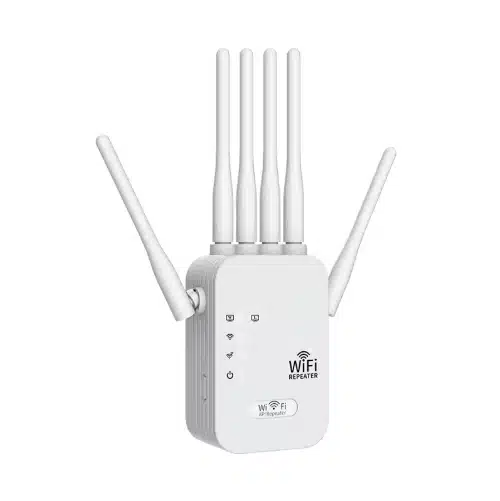
WPS WiFi Repeaters
Designed for buyers who want faster initial pairing, lower setup friction, and easier rollout across standard home, retail, and light commercial WiFi environments.
-
2-Minute Pairing Flow
Mainstream extender setup guides commonly require WPS steps to be completed within about 2 minutes.
-
Less Manual Input
WPS simplifies first-time pairing by reducing manual network entry on supported devices.
-
Setup Feature, Not Speed Feature
WPS improves onboarding convenience. Wireless performance still depends on radio design and deployment conditions.
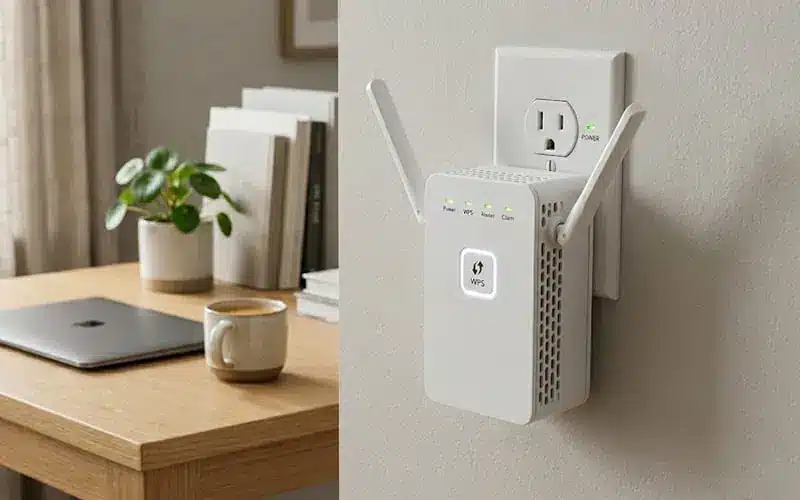
What WPS Actually Solves
WPS helps simplify first-time pairing on compatible networks. Its real value is easier setup, not higher wireless speed or longer signal reach.
| What buyers may expect | What WPS actually solves |
|---|---|
| Faster WiFi speed | No. WPS is a setup shortcut, not a throughput upgrade |
| Longer coverage range | No. Coverage still depends on radio design, antennas, placement, and interference |
| Easier first-time installation | Yes. WPS reduces manual setup steps on supported devices |
| Universal compatibility | No. Router support, firmware behavior, and security mode still matter |
| Better network stability | No. Stability depends on chipset, environment, and deployment quality |
| Lower setup friction | Yes. This is the main reason buyers still choose WPS-enabled models |
WPS solves pairing convenience first. Performance, coverage, and compatibility still depend on the actual hardware platform and network environment.
Common WPS WiFi Repeater Classes
WPS support appears across different repeater formats, but the right model class still depends on deployment needs such as band structure, installation style, wired connectivity, and target environment.
Single-Band WPS Repeaters
A basic entry-level option for simple wireless extension where setup ease matters more than advanced traffic handling.
- Suitable for light-duty browsing and low-density device loads
- Often chosen for cost-sensitive entry deployments
Explore entry-level repeater options
Dual-Band WPS Repeaters
A more practical class for mixed client environments where buyers want easier setup with better traffic separation than basic single-band models.
- Better suited to homes, retail counters, and SOHO use
- A common choice when balancing setup simplicity and everyday usability
View dual-band repeater models
Plug-In WPS Repeaters
Compact wall-plug models designed for fast installation, easy replacement, and simple rollout in standard indoor environments.
- Space-saving format for home and consumer-facing deployments
- Common in retail channels where simple installation is a selling point
Browse plug-in repeater types
Desktop WPS Repeaters with Ethernet
A better fit when users also need wired bridging, more flexible placement, or an additional Ethernet connection point.
- Useful for printers, TVs, POS terminals, and light office devices
- Better matched to setups that combine wireless extension and wired access
See repeater models with Ethernet port
WPS may simplify setup across these classes, but the better buying decision usually depends on form factor, band design, and whether wired access is also required.
WPS is mainly a setup convenience feature.
It helps compatible routers and repeaters connect with fewer manual steps, but it does not define throughput, range, or overall wireless stability. Buyers should verify router support, security mode, and actual deployment needs before treating WPS as a decision driver.
-
2-Minute Window
Common WPS pairing timing in extender setup guides.
-
Push Button / PIN
Two common WPS connection methods.
-
Less Manual Input
No need to re-enter SSID and password in many WPS flows.
-
WPA3 Limitation
WPA3-Personal can disable WPS support.
-
Web Setup Fallback
WPS is not the only setup path.
WPS can shorten setup steps, but it does not replace the need to choose the right repeater class and setup path.
WPS Setup vs Web Setup vs App Setup
Most modern WiFi repeaters can be configured through more than one setup path. The better choice depends on whether the buyer values speed, setup visibility, or guided onboarding most.
| Item | WPS Setup | Web Setup | App Setup |
|---|---|---|---|
| Main strength | Fastest to trigger on supported routers | More configuration visibility and control | More guided and user-friendly onboarding |
| Main limitation | Depends on router WPS support and security mode | Requires more manual steps than WPS | Depends on app usability and ecosystem support |
| Setup effort | Low | Medium | Low to medium |
| Configuration flexibility | Limited during first pairing | Higher, with more visible setup options | Moderate, depending on app design |
| Best for | Quick first-time pairing | Buyers who want clearer setup control | Users who prefer guided installation |
| Typical fallback value | Useful as a shortcut | Reliable when WPS is unavailable | Helpful for less technical end users |
Use WPS when speed of first-time pairing matters most. Use web setup when you need more control. Use app setup when guided onboarding matters more than manual configuration depth.
Where WPS Models Make More Sense
WPS-enabled repeaters make more sense when faster first-time pairing, lower setup friction, and simpler user onboarding matter more than deep manual configuration.

Consumer Retail Programs
A better fit when easier first-use setup can reduce installation friction.
Explore easy-setup repeater models

Home and SOHO Quick Extension
Useful when buyers want faster pairing on supported routers.
See home WiFi repeater options

Low-Training Deployment Environments
A practical option when setup simplicity matters more than deep configuration.
Compare setup-friendly repeater types

Quick Replacement or Secondary Coverage Use
A good fit for basic redeployment and simple extension tasks.
View practical repeater deployment options
WPS works best when convenience matters more than configuration depth.
OEM / ODM Evidence for WPS WiFi Repeaters
For WPS WiFi Repeaters projects, OEM / ODM capability should be shown through actual customization scope, validation workflow, and project deliverables — not generic factory claims.
Hardware & PCBA Engineering
Built for buyers who need more than a standard public-board solution.
-
100% in-house hardware development
-
MediaTek / Realtek platform integration
-
Custom ports, power, and PCB layout support
Firmware & Software Support
Suitable for projects that need branded UI, protocol features, or secondary development.
-
OpenWrt-based customization
-
TR-069 / TR-181 integration
-
Multi-language UI and white-label web panel
Rapid Tooling & ID Design
Designed for projects that need private mold, modified housing, or faster sample validation.
-
T0 sample in 25 days
-
In-house tooling and mold-flow review
-
Custom material, finish, and logo options
RF Testing & Quality Control
Used to support more stable wireless performance and lower production risk.
-
In-house 3D OTA chamber
-
LitePoint IQxel calibration
-
Burn-in test from -20°C to 60°C
Production Capacity
Suitable for repeat orders, peak-season supply, and distributor-level programs.
-
8 automated Fuji SMT lines
-
30,000 units/day peak capacity
-
10,000 m² smart manufacturing facility
Lead Time & Supply Chain
Built for faster rollout when the project uses mature repeater platforms.
-
35–45 days for mature PCBA orders
-
Strategic chipset supply support
-
Better fit for scalable B2B programs
Typical OEM / ODM Scope
| OEM / ODM Item | Typical Support | What Buyer Can Confirm |
|---|---|---|
| Logo / branding | Yes | Device logo, label, carton artwork |
| Plug localization | Yes | EU / US / UK / AU plug options |
| Packaging customization | Yes | Gift box, carton mark, manual layout |
| Web UI / app branding | Project-based | UI screenshot or branding sample |
| Firmware feature adjustment | Project-based | Function list confirmation |
| Memory / flash configuration | Project-based | BOM / spec confirmation |
| Certification support | Project-based | Compliance file path by market |
| Sample validation | Yes | Pre-production sample review |
| Pilot run / trial order | Project-based | Trial quantity discussion |
| Mass production release | Yes | QC checkpoints after approval |
For B2B buyers, good OEM / ODM evidence is measurable: customization scope, lead time, branding method, setup logic, and compliance path.
Need a reliable WPS WiFi Repeaters OEM / ODM partner?
Talk to our team about firmware, housing, interface, and packaging customization.
WPS WiFi Repeater FAQ
These questions cover the most common concerns around indoor deployment, product tier selection, and OEM planning for WPS WiFi repeater programs.
1. Is WPS a speed feature?
No. WPS simplifies setup, not wireless performance.
2. Do all repeaters support WPS?
No. Router support and security settings still matter.
3. Do all repeaters support WPS?
No. Router support and security settings still matter.
4. Will WPS work with every router?
Yes, when faster setup matters more than deep configuration.
5. Is WPS secure?
PIN-based WPS has a known security criticism history. Push-button setup is generally treated differently.
6. Does WPA3 allow WPS?
Not always. Some vendors explicitly disable WPS under WPA3-Personal.
7. What if WPS fails?
Users typically fall back to web or app setup.
8. When should buyers care about WPS most?
When setup simplicity and deployment speed matter more than advanced configuration.
Find the Right WiFi Solution for Your Needs
Explore by Product Type
👉 Compare different WiFi expansion solutions based on performance and usage.
Explore by WiFi Standard
👉 Choose based on speed, performance, and compatibility.
Explore by Application Scenario
👉 Find the best solution for your specific environment.
Explore by Installation Type
👉 Please make your selection based on the wireless repeater’s interface and installation method.
Contact Us
Please fill out the form below, and our professional consultants will assist you as soon as possible, typically within 24 hours.
Contact Information
Phone: +86-13923714138
WhatsApp: +8613923714138
Email: addway.wang@igrentech.cn
Address: Room 301, Building A2, Qiangrong East Industrial Zone, No. 723 Zhoushi Road, Hangcheng Street, Shenzhen, Guangdong, China