WiFi 5 Repeaters Manufacturer
WiFi 5 repeaters remain a practical choice for buyers who need a mature, dual-band 802.11ac solution with balanced cost, broad compatibility, and stable throughput for mainstream home and SMB projects.
-
Wireless Standard: 802.11ac dual band
-
Typical Speed Class: AC750 / AC1200 / AC1900
-
5 GHz Link Rate: up to 867 Mbps on common 2×2 AC1200 designs
-
Setup Method: WPS or web UI, typically within 2 minutes on standard deployments
-
OEM Support: housing, firmware, logo, package, and PCBA customization
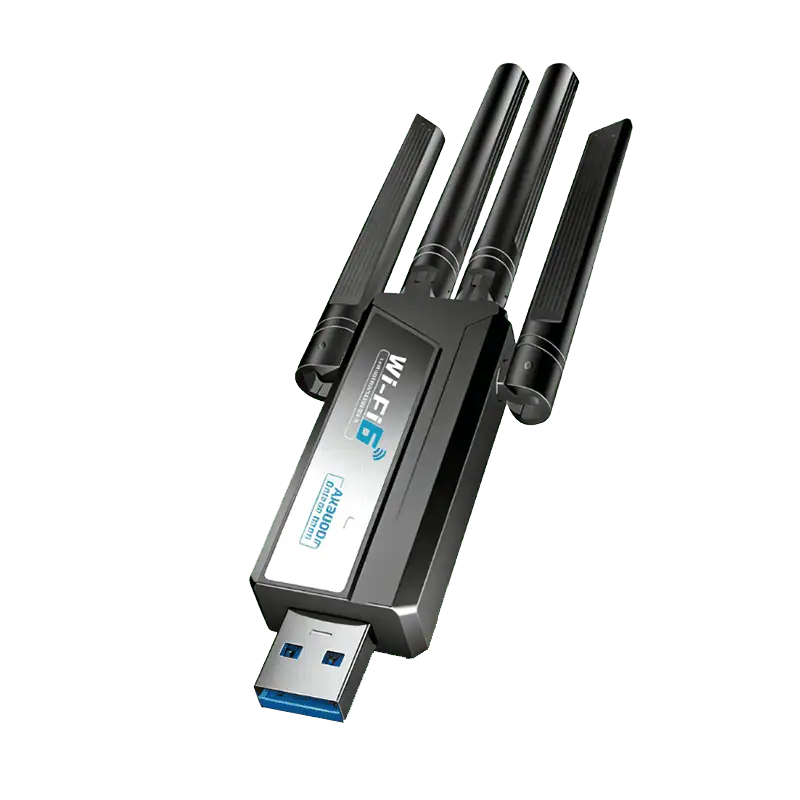
WiFi Repeater Categories
By Product Type
Wireless wifi repeater
- Repeater wireless wifi
- Wireless and wifi repeater
- Wireless wifi repeater
- Wifi repeater wireless signal booster
- Wireless wifi extender repeater
Wifi range extenders
WiFi Signal Boosters
By Standard
-
Single Band & Dual Band
-
WiFi 5 Repeaters
-
WiFi 6 Repeaters
-
WiFi 7 Repeaters
By Scenario
-
Home WiFi Repeaters
-
Outdoor WiFi Repeaters
-
Long Range WiFi Repeater
-
Camper WiFi Repeaters
By Installation
-
WiFi Repeater with Ethernet Port
-
Plug WiFi Repeater
-
WPS WiFi Repeaters
-
WiFi Repeater External
Common WiFi 5 Repeater Product Classes

AC750 WiFi 5 Repeater
-
2.4 GHz + 5 GHz
-
Lower-cost BOM
-
Suitable for basic browsing and light streaming
AC1200 WiFi 5 Repeater
-
Typical 300 Mbps 2.4 GHz + 867 Mbps 5 GHz
-
Better match for multi-room coverage
-
Easier upgrade path from wireless-N products
AC1900 and Above
-
Higher PHY class
-
Often paired with stronger antenna or better Ethernet spec
-
Better for premium repeater lines
Why WiFi 5 Repeaters Still Fit High-Volume B2B Projects
For many importers, channel brands, and telecom accessory buyers, WiFi 5 repeaters offer the best balance between performance, compatibility, and cost.
Balanced Speed for Real-World Usage
-
Balanced Speed for Real-World Usage
-
5GHz throughput typically 550–700 Mbps (indoor test @10m)
-
30–50% faster than 2.4GHz-only networks
Stable for 20–40 Connected Devices
-
Supports 20–40 active clients per repeater
-
MU-MIMO improves simultaneous transmission efficiency
-
Maintains stable performance under mixed traffic (video + browsing)
Up to 60% Lower Cost Than WiFi 6
-
Hardware cost reduced by 35–60% vs WiFi 6
-
Lower chipset and BOM cost (Realtek / MTK solutions)
-
Ideal for projects with 100+ units deployment
Works with Existing Network Infrastructure
-
Compatible with 99% routers and gateways
-
No need to upgrade existing network systems
-
Supports standard WPA2 security protocols
✔ Widely deployed in:
- Hotels (20–100 rooms)
- Apartments & rental units
- SMB office networks
✔ Proven chipset platforms:
- Realtek RTL8197 / MT7621
- 5+ years mass production validation
WiFi 5 vs WiFi 6 Cost
- WiFi 5: $8–15 / unit
- WiFi 6: $18–35 / unit
Quick Technical Snapshot of a Typical WiFi 5 Repeater
| Item | Typical WiFi 5 Repeater Range |
|---|---|
| Wireless Standard | IEEE 802.11ac |
| Band Type | Dual Band 2.4 GHz + 5 GHz |
| Common Speed Class | AC750 / AC1200 / AC1900 |
| Common 2.4 GHz Rate | 300 Mbps |
| Common 5 GHz Rate | 433 Mbps / 867 Mbps / higher by class |
| Channel Width | Up to 80 MHz on common 802.11ac products |
| Ethernet Option | 10/100 or Gigabit depending on model |
| Setup | WPS / Web UI / App depending on firmware |
| Use Cases | Home coverage, apartment, SOHO, retail, light commercial |
Actual throughput depends on router capability, backhaul quality, wall loss, interference, channel width, and client device support.
WiFi 4 vs WiFi 5 vs WiFi 6 Repeaters
| Standard | Best For | Typical Buyer Need | Main Advantage | Main Trade-Off |
|---|---|---|---|---|
| Wireless-N / WiFi 4 | Entry-level price market | Basic dead-zone fix | Lower BOM cost | Lower throughput |
| WiFi 5 | Mainstream retail and B2B projects | Balanced speed + compatibility | Mature dual-band performance | 5 GHz range is shorter than 2.4 GHz |
| WiFi 6 | Newer premium projects | Higher density and newer device mix | Better efficiency in dense environments | Higher cost |
-
Choose WiFi 4 when lowest price matters most
-
Choose WiFi 5 when cost/performance balance matters most
-
Choose WiFi 6 when newer client density and premium positioning matter more
Where WiFi 5 Repeaters Work Best
Best for projects that need a mature dual-band upgrade in areas with weak existing router coverage, not in locations with no backhaul signal at all.
2.4 GHz generally reaches farther, while 5 GHz usually delivers higher speed, so WiFi 5 repeaters work best when placement and band choice are both considered.

Home Coverage Upgrade
-
Better for weak-signal rooms, not no-signal zones
-
Dual band helps balance speed and coverage
-
Ideal for daily browsing and streaming upgrades
Best for rooms where the router signal is weak but still usable.

Apartment & Multi-Room Coverage
-
Works well across room-to-room layouts
-
2.4 GHz reaches farther through obstacles
-
Best placed between router and weak area
A practical fit for apartments and homes with multiple rooms and wall interference.

Small Office / SOHO Expansion
-
Good for cost-controlled office upgrades
-
Supports typical phones, laptops, and POS use
-
Dual band suits mixed office traffic
Suitable for light commercial spaces that need better coverage without new cabling.

Ethernet Bridge for Wired Devices
-
Extends network access to wired devices
-
Useful for TVs, printers, and desktops
-
Adds more value than signal-only models
Ideal for connecting wired devices through a repeater with an Ethernet port.
WiFi 5 repeaters work best when the main router signal is still usable.
If the extender is installed in a location with almost no backhaul signal from the main router, the final connection quality will still be poor. NETGEAR’s guidance explicitly notes that traffic through the extender is inherently slower than direct traffic through the main network, and proper placement is essential.
OEM / ODM Evidence for WiFi 5 Repeater Projects
Hardware & PCBA Engineering
Built for buyers who need more than a standard public-board solution.
-
100% in-house hardware development
-
MediaTek / Realtek platform integration
-
Custom ports, power, and PCB layout support
Firmware & Software Support
Suitable for projects that need branded UI, protocol features, or secondary development.
-
OpenWrt-based customization
-
TR-069 / TR-181 integration
-
Multi-language UI and white-label web panel
Rapid Tooling & ID Design
Designed for projects that need private mold, modified housing, or faster sample validation.
-
T0 sample in 25 days
-
In-house tooling and mold-flow review
-
Custom material, finish, and logo options
RF Testing & Quality Control
Used to support more stable wireless performance and lower production risk.
-
In-house 3D OTA chamber
-
LitePoint IQxel calibration
-
Burn-in test from -20°C to 60°C
Production Capacity
Suitable for repeat orders, peak-season supply, and distributor-level programs.
-
8 automated Fuji SMT lines
-
30,000 units/day peak capacity
-
10,000 m² smart manufacturing facility
Lead Time & Supply Chain
Built for faster rollout when the project uses mature repeater platforms.
-
35–45 days for mature PCBA orders
-
Strategic chipset supply support
-
Better fit for scalable B2B programs
Our WiFi 5 repeater OEM / ODM support goes beyond logo printing. From PCBA and firmware to tooling, RF validation, and mass production, the goal is to help buyers launch repeatable products with clearer lead-time and engineering expectations.
Need a reliable WiFi 5 repeater OEM / ODM partner?
Talk to our team about firmware, housing, interface, and packaging customization.
What Can Be Customized for WiFi 5 Repeaters
| Custom Area | Typical Support |
|---|---|
| Logo | Silkscreen, label, laser marking |
| Housing | Existing mold color or modified ID |
| Firmware | UI branding, language, function settings |
| PCB / Interface | Ethernet port, USB, antenna, power |
| Protocol | OpenWrt, TR-069 / TR-181 based functions |
| Package | Gift box, carton, manual, barcode label |
FAQs About WiFi 5 Repeaters
Get quick answers about WiFi 5 repeater performance, compatibility, setup, and OEM / ODM options.
What is a WiFi 5 repeater?
A WiFi 5 repeater is a wireless range extension device based on the 802.11ac standard. It receives an existing WiFi signal and retransmits it to help improve coverage in weak-signal areas. Wi-Fi 5 is commonly used for dual-band networking and offers higher throughput than older 802.11n solutions.
Is WiFi 5 the same as 802.11ac?
Yes. WiFi 5 is the consumer naming used for 802.11ac. Cisco explains that 802.11ac improves throughput by using wider channels, more spatial streams, beamforming, and the 5 GHz spectrum.
Is WiFi 5 still a good choice for repeater projects?
Yes, for many mainstream projects it still is. WiFi 5 remains a practical option when buyers want a mature dual-band solution with balanced cost and broad compatibility. Your own repeater category page also positions WiFi 5 repeaters as a strong choice for mainstream demand.
What is the difference between WiFi 5 and WiFi 6 repeaters?
WiFi 5 repeaters are generally chosen for mature cost-performance balance, while WiFi 6 repeaters are usually positioned for newer devices, denser environments, and higher performance expectations. Cisco notes that Wi-Fi 6 represents a significant upgrade over 802.11ac, while 802.11ac remains backward-compatible with earlier generations.
Does a WiFi 5 repeater reduce speed?
It can. NETGEAR’s manual states that traffic routed through an extender is inherently slower than traffic routed directly from the main network. Actual throughput also depends on router quality, placement, building materials, and interference.
Where should a WiFi 5 repeater be placed?
A repeater should usually be placed between the router and the weak-signal area, not at the farthest point with almost no signal. NETGEAR’s setup guidance recommends moving the extender to a location about halfway between the router and the area with poor WiFi, while keeping it within the router’s usable range.
Can WiFi 5 repeaters be customized for OEM / ODM projects?
Yes. Based on your repeater category page, customization can include hardware development, chipset platform integration, OpenWrt-based firmware, TR-069 / TR-181 support, UI branding, tooling, and packaging. Your site also states support for rapid tooling and mature repeater production programs.
Can a WiFi 5 repeater work with different router brands?
In most cases, yes. Cisco notes that 802.11ac operates with earlier 802.11 standards when necessary, and many commercial extenders are designed to connect to existing WiFi routers through standard setup methods such as WPS or web configuration.
Still comparing WiFi 5 repeater options?
Talk to our team about speed class, Ethernet ports, firmware, and OEM / ODM requirements.
Find the Right WiFi Solution for Your Needs
Explore by Product Type
-
Wireless WiFi Repeater
-
WiFi Range Extenders
-
WiFi Signal Boosters
👉 Compare different WiFi expansion solutions based on performance and usage.
Explore by WiFi Standard
-
Wireless-N WiFi Repeaters
-
WiFi 5 Repeaters
-
WiFi 6 Repeaters
-
WiFi 7 Repeaters
👉 Choose based on speed, performance, and compatibility.
Explore by Application Scenario
-
Home WiFi Repeaters
-
Outdoor WiFi Repeaters
-
Long Range WiFi Repeaters
-
Camper WiFi Repeaters
👉 Find the best solution for your specific environment.
Explore by Installation Type
-
WiFi Repeater with Ethernet Port
-
Plug WiFi Repeater
-
WPS WiFi Repeaters
-
External Antenna Repeaters
👉 Please make your selection based on the wireless repeater’s interface and installation method.
Contact Us
Please fill out the form below, and our professional consultants will assist you as soon as possible, typically within 24 hours.
Contact Information
Phone: +86-13923714138
WhatsApp: +8613923714138
Email: addway.wang@igrentech.cn
Address: Room 301, Building A2, Qiangrong East Industrial Zone, No. 723 Zhoushi Road, Hangcheng Street, Shenzhen, Guangdong, China