Home WiFi Repeaters
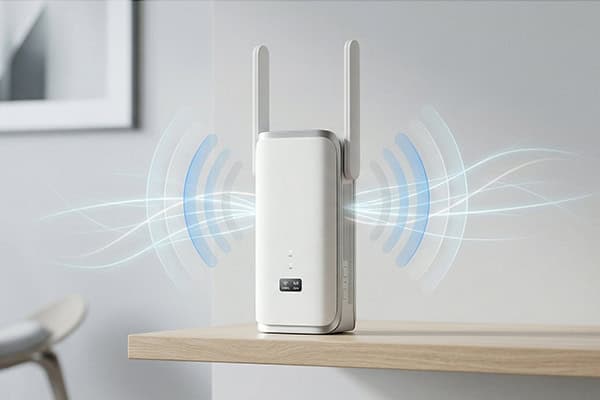
Built for indoor dead zones, multi-room signal extension, and simple residential deployment. Explore home repeater options by wireless standard, hardware format, and OEM customization path.
-
WiFi 5 / 6 / 7 Options
-
Wall Plug & Ethernet Variants
-
30,000 Units/Day
-
OpenWrt / TR-069 Ready
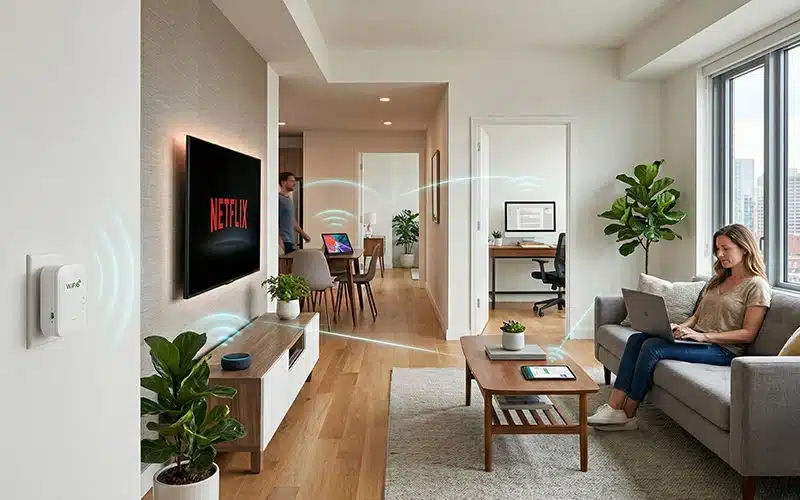
Common Home WiFi Repeater Product Classes
Home repeater buyers usually narrow products by physical format, setup method, and connection need first. These product classes help move from general home-use intent to more specific repeater pages by installation style, interface, and wireless tier.
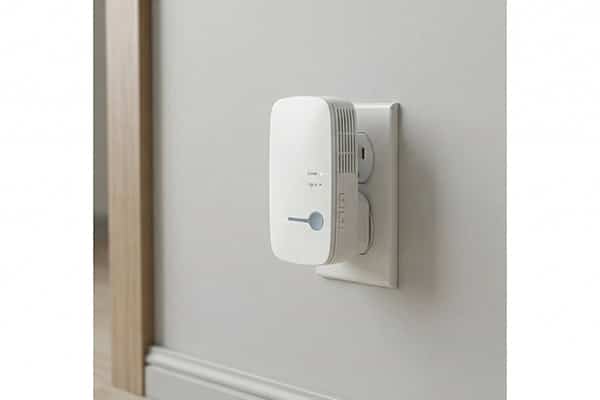
Plug WiFi Repeaters
Best for simple indoor deployment in bedrooms, hallways, apartments, and standard home layouts.
-
Compact wall-plug format reduces installation friction
-
Easier for residential placement than larger desktop-style devices
-
Strong fit for retail-ready home repeater programs
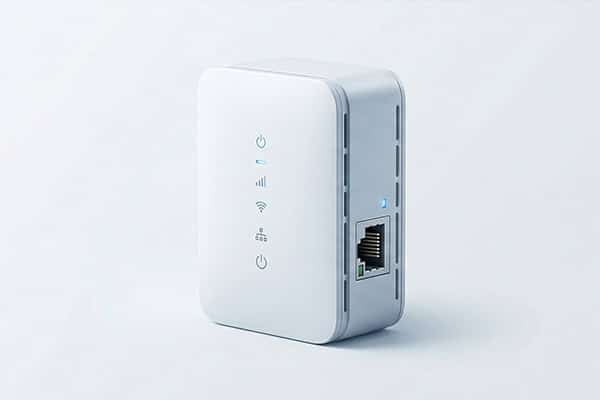
Home Repeaters with Ethernet Port
Better for home setups where one wired endpoint still matters.
-
Useful for TVs, consoles, desktop corners, or set-top boxes
-
Adds SKU flexibility beyond repeater-only entry models
-
Works well in mixed wired-wireless home deployment
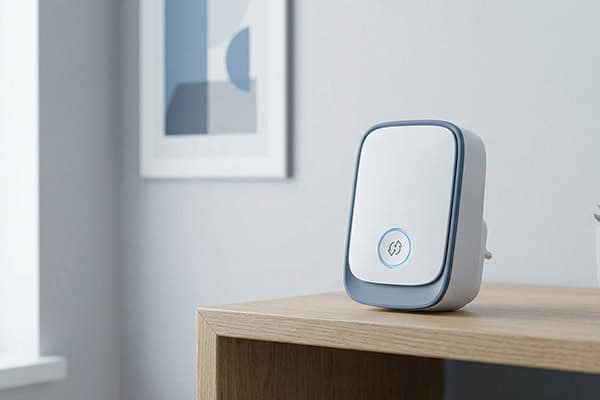
WPS Home WiFi Repeaters
Best for home markets where setup simplicity directly affects usability and support cost.
-
Quick pairing reduces first-time setup friction
-
Easier onboarding can lower support pressure
-
Suitable for consumer retail and easy-install product lines
Dual-Band Home Repeaters
Better for home users who need a stronger balance of indoor reach, speed, and multi-device support.
-
Dual-band products better balance 2.4 GHz reach and 5 GHz speed
-
Better fit for streaming, laptops, tablets, and mixed household traffic
-
Natural bridge into WiFi 5, WiFi 6, and WiFi 7 product pages
Why Home WiFi Repeaters Are a Separate Buying Category
Home repeater buyers usually start with indoor coverage needs, room layout, and ease of setup. That makes “Home” a useful category layer between the general repeater overview page and deeper product pages by wireless standard or hardware format.
Indoor Coverage Comes First
Home buyers usually start with weak-signal areas, not protocol terms.
-
Bedroom, hallway, upstairs, and living room coverage gaps are common search triggers
-
Residential buyers often think by room layout before they compare chipsets
-
A home category reflects real search intent better than a standards-only entry page
Home Setup Has Different Priorities
Ease of installation matters more in home deployment.
-
Plug-in form factors are easier to position in residential interiors
-
Simple pairing flows help reduce support friction
-
Compact indoor models fit home retail programs better than outdoor-style hardware
It Prevents Scenario Confusion
A separate home category helps define the indoor-use boundary.
-
Home repeaters are mainly for room-to-room indoor signal extension
-
They are not the primary path for outdoor perimeter or long-range relay needs
-
Clear scenario separation helps buyers reach the right product page faster
It Creates a Better Navigation Layer
This page connects broad category traffic to deeper product paths.
-
Users can move from scenario pages to WiFi 5, WiFi 6, or WiFi 7 pages
-
Structure-based pages such as wall-plug or Ethernet models become easier to reach
-
Clear visible internal links improve category flow and reduce page overlap
In short, the Home category is not a duplicate layer — it is the scenario-based navigation step that helps buyers move from residential use needs to the right repeater standard, form factor, or feature page.
Quick Evidence Bar
- Indoor-first buying intent
- Simple setup matters
- Compact retail-friendly design
- Better category-to-subcategory navigation
What Matters Most in a Home WiFi Repeater
Home repeater selection should start with coverage goal, room layout, setup method, and client mix. In residential deployment, the right hardware format and wireless tier often matter more than headline speed alone.
For home use, buyers should first define where the signal gap is, how many devices share the network, whether a wired port is needed, and how simple setup must be. Wireless generation should then be used to set the right product tier.
| Buying Factor | What Buyers Should Focus On |
|---|---|
| Coverage target | bedroom, living room, upstairs, hallway, garage-side indoor area |
| Band strategy | 2.4 GHz for wider reach, 5 GHz for faster short-range indoor use |
| Device density | phones, tablets, TVs, laptops, cameras, smart home devices |
| Port requirement | whether an Ethernet port is needed for TV, console, or desktop corner |
| Setup style | WPS, simple web UI, app setup, or pre-configured OEM firmware |
| Product tier | Wireless-N, WiFi 5, WiFi 6, or WiFi 7 depending on market and positioning |
Evidence Chips
-
Wi-Fi 6 adds OFDMA for better efficiency in multi-device homes
-
1024-QAM is a key Wi-Fi 6 throughput enhancement
-
Wi-Fi 7 adds MLO, 320 MHz channels, and 4096-QAM
-
2x2 Wi-Fi 7 modules can be specified up to 5.8 Gbps in Intel product specs
Which Standard Makes More Sense for Home WiFi Repeaters
For most current home repeater programs, WiFi 5 and WiFi 6 form the commercial core, while WiFi 7 works better as a premium or future-ready tier.
| Standard | Best For | Key Technical Direction | Home-Use Judgment |
|---|---|---|---|
| WiFi 5 | mainstream home retail, mature cost-sensitive programs | 5 GHz, up to 256-QAM, up to 160 MHz, downlink MU-MIMO | Good baseline for mainstream home repeater lines |
| WiFi 6 | multi-device households, stronger efficiency upgrade | OFDMA, 1024-QAM, uplink/downlink MU-MIMO, better dense-device handling | Best balance for current home upgrade programs |
| WiFi 7 | premium, future-ready, upper-tier home line | MLO, 320 MHz, 4096-QAM, higher peak link rates | Better for flagship or high-end home repeater SKUs |
Table support: Wi-Fi 5 feature direction from 802.11ac white papers; Wi-Fi 6 and Wi-Fi 7 feature direction from Intel technical materials.
WiFi 5: The Mature Mainstream Tier
Best for stable, mainstream home repeater programs where mature ecosystem fit and cost control matter.
-
Supports a 5 GHz high-throughput platform
-
Standard direction includes up to 256-QAM and up to 160 MHz
-
A practical baseline for mainstream home repeater lines
WiFi 6: The Strongest All-Round Upgrade for Home Use
Best for families with more devices, heavier concurrent traffic, and stronger upgrade expectations.
-
OFDMA improves efficiency in multi-device environments
-
1024-QAM can raise peak throughput by about 25% over 256-QAM under favorable conditions
-
Better dense-client performance than WiFi 5 in vendor test data
WiFi 7: The Premium and Future-Ready Tier
Best for flagship home repeater models and premium product-line positioning.
-
Adds Multi-Link Operation
-
Supports 320 MHz channels and 4096-QAM
-
Better fit for upper-tier home networking lines than entry models
Quick Selection Logic
Lorem ipsum dolor sit amet, consectetur adipiscing elit. Ut elit tellus, luctus nec ullamcorper mattis, pulvinar dapibus leo.
-
Choose WiFi 5 for mature mainstream lines
-
Choose WiFi 6 for the best current balance of efficiency and upgrade value
-
Choose WiFi 7 for premium, future-ready product tiers
This three-step positioning is an inference from the standards’ feature sets and typical home-market product segmentation.
Factory Evidence Behind Home Repeater OEM Programs
For home WiFi repeater programs, buyers need more than product claims. They need evidence on output capacity, delivery stability, firmware flexibility, and repeatable manufacturing control.
Hardware & PCBA Engineering
Built for buyers who need more than a standard public-board solution.
-
100% in-house hardware development
-
MediaTek / Realtek platform integration
-
Custom ports, power, and PCB layout support
Firmware & Software Support
Suitable for projects that need branded UI, protocol features, or secondary development.
-
OpenWrt-based customization
-
TR-069 / TR-181 integration
-
Multi-language UI and white-label web panel
Rapid Tooling & ID Design
Designed for projects that need private mold, modified housing, or faster sample validation.
-
T0 sample in 25 days
-
In-house tooling and mold-flow review
-
Custom material, finish, and logo options
RF Testing & Quality Control
Used to support more stable wireless performance and lower production risk.
-
In-house 3D OTA chamber
-
LitePoint IQxel calibration
-
Burn-in test from -20°C to 60°C
Production Capacity
Suitable for repeat orders, peak-season supply, and distributor-level programs.
-
8 automated Fuji SMT lines
-
30,000 units/day peak capacity
-
10,000 m² smart manufacturing facility
Lead Time & Supply Chain
Built for faster rollout when the project uses mature repeater platforms.
-
35–45 days for mature PCBA orders
-
Strategic chipset supply support
-
Better fit for scalable B2B programs
Typical OEM / ODM Scope
| OEM / ODM Item | Typical Support | What Buyer Can Confirm |
|---|---|---|
| Logo / branding | Yes | Device logo, label, carton artwork |
| Plug localization | Yes | EU / US / UK / AU plug options |
| Packaging customization | Yes | Gift box, carton mark, manual layout |
| Web UI / app branding | Project-based | UI screenshot or branding sample |
| Firmware feature adjustment | Project-based | Function list confirmation |
| Memory / flash configuration | Project-based | BOM / spec confirmation |
| Certification support | Project-based | Compliance file path by market |
| Sample validation | Yes | Pre-production sample review |
| Pilot run / trial order | Project-based | Trial quantity discussion |
| Mass production release | Yes | QC checkpoints after approval |
For home WiFi repeater projects, factory evidence should prove not only that products can be made, but that they can be scaled, customized, validated, and delivered with repeatable control.
Need a reliable Home WiFi repeater OEM / ODM partner?
Talk to our team about firmware, housing, interface, and packaging customization.
Home WiFi Repeater FAQ
These questions cover the most common concerns around indoor deployment, product tier selection, and OEM planning for home WiFi repeater programs.
1. What defines a true home WiFi repeater product?
A true home WiFi repeater is designed for indoor room-to-room coverage extension, not outdoor relay or long-distance bridging. The key traits are compact form factor, simple setup, and residential deployment fit.
2. What matters more in home repeater selection: speed tier or placement logic?
Placement logic comes first.
In home deployment, a correctly placed repeater in a mid-signal zone usually matters more than choosing a higher advertised speed class without a stable uplink.
3. When is a plug-in repeater a better choice than a desktop-style unit?
A plug-in repeater is better when the priority is low installation friction, compact indoor placement, and retail-friendly deployment. Desktop-style units make more sense only when extra ports, antennas, or larger housing are part of the SKU strategy.
4. Is Ethernet still important on a home WiFi repeater?
Yes.
An Ethernet port is still valuable for TVs, consoles, desktop corners, and mixed wired-wireless use, and it also helps create a clearer product tier above entry-level repeater-only models.
5. Why is WiFi 6 usually the strongest mainstream upgrade for home repeaters?
Because WiFi 6 improves multi-device efficiency, not just peak speed.
For home use, that matters more in real deployment than chasing a higher headline spec without considering client density.
6. Should every home repeater line move directly to WiFi 7?
No.
WiFi 7 is better used as a premium or future-ready tier, while WiFi 5 and WiFi 6 usually remain the commercial core for broader home-market programs.
7. What is the main difference between a home repeater page and a WiFi 6 or WiFi 7 repeater page?
A home repeater page is scenario-led.
A WiFi 6 or WiFi 7 page is standard-led. One starts from residential use need; the other starts from wireless generation.
8. Are “home WiFi repeater,” “range extender,” and “signal booster” different product categories?
Usually not in practical market language.
They are often different buying terms for closely related indoor coverage products, and the real separation should be done by deployment scenario, structure, and feature tier.
9. What proves real OEM capability in home repeater projects?
Not just logo printing.
Real OEM capability means chipset path, firmware scope, plug-type adaptation, tooling speed, validation process, and delivery control are all clearly defined.
10. What should B2B buyers check first before selecting a home repeater supplier?
Check these five first: product tier clarity, installation form factor, firmware path, production capacity, and validation standard.
If these are vague, the supplier is not yet presenting a strong repeater program.
Find the Right WiFi Solution for Your Needs
Explore by Product Type
-
Wireless WiFi Repeater
-
WiFi Range Extenders
-
WiFi Signal Boosters
👉 Compare different WiFi expansion solutions based on performance and usage.
Explore by WiFi Standard
-
Wireless-N WiFi Repeaters
-
WiFi 5 Repeaters
-
WiFi 6 Repeaters
-
WiFi 7 Repeaters
👉 Choose based on speed, performance, and compatibility.
Explore by Application Scenario
-
Home WiFi Repeaters
-
Outdoor WiFi Repeaters
-
Long Range WiFi Repeaters
-
Camper WiFi Repeaters
👉 Find the best solution for your specific environment.
Explore by Installation Type
-
WiFi Repeater with Ethernet Port
-
Plug WiFi Repeater
-
WPS WiFi Repeaters
-
External Antenna Repeaters
👉 Please make your selection based on the wireless repeater’s interface and installation method.
Contact Us
Please fill out the form below, and our professional consultants will assist you as soon as possible, typically within 24 hours.
Contact Information
Phone: +86-13923714138
WhatsApp: +8613923714138
Email: addway.wang@igrentech.cn
Address: Room 301, Building A2, Qiangrong East Industrial Zone, No. 723 Zhoushi Road, Hangcheng Street, Shenzhen, Guangdong, China